


Pros
- Very thin and exceptionally light for its size
- Sharp, vibrant 2.8K OLED display
- Strong multicore performance
- Spacious 2TB SSD
- Speakers are surprisingly capable
Cons
- Meteor Lake CPU is two generations old
- Much shorter battery life than competing models with more modern CPUs
- Single-core performance lags behind competition
- Terrible touch pad
Geekom is known for its mini PCs that you can hide behind a monitor, mount under a desk or nestle in your home theater, so it’s not surprising that its first laptop doesn’t take up a lot of space either.
The GeekBook X14 Pro is very thin, light and compact. It’s a 14-inch laptop that’s just 0.7 inches thick and weighs closer to two pounds when most models of its size are closer to three pounds or more. It’s not the lightest 14-inch laptop I’ve tested — that honor still belongs to the Asus Zenbook A14 — but it’s a close second.
The GeekBook X14 Pro is able to hit such a lightweight because it’s made from magnesium alloy, which is lighter than aluminum but still provides good strength and rigidity. The laptop is exceptionally light without feeling flimsy. Add in a 2.8K OLED display, and you have the makings of a premium ultraportable worthy of its $1,249 price.
While the GeekBook X14 Pro made a good initial impression, I soon discovered a couple of issues that prevent a stronger recommendation. First, the CPU is more than two years old and lacks the efficiency of today’s mobile processors. Secondly, the touch pad is terrible.
For ultraportable devices, I recommend the Asus Zenbook A14 or HP OmniBook 5 14, which combine a lightweight body with long battery life. Or for the latest Intel silicon that offers great power and efficiency, check out the MSI Prestige 14 Flip AI Plus.
Geekom GeekBook X14 Pro
| Price as reviewed | $1,249 |
|---|---|
| Display size/resolution | 14-inch 2,880×1,800 120Hz OLED |
| CPU | Intel Core Ultra 9 185H |
| Memory | 32GB LPDDR5X-7467 |
| Graphics | Intel Arc (8 Xe2 cores) |
| Storage | 2TB SSD |
| Ports | USB4 (x2), USB-A 3.2 Gen 1, HDMI 2.0, combo audio |
| Networking | Wi-Fi 6E and Bluetooth 5.4 |
| Operating system | Windows 11 Pro 25H2 |
| Weight | 2.3 pounds (1 kilogram) |
Geekom sells two versions of the GeekBook X14 Pro. The base model costs $999, which includes an Intel Core Ultra 5 125H, 32GB of RAM, integrated Intel Arc graphics with seven Xe2 cores and a 1TB SSD.
Geekom sent me the step-up model that costs $1,249, which upgraded the model to an Intel Core Ultra 9 185H that comes with an Intel Arc GPU with eight Xe2 cores and doubles the storage to 2TB. Both models feature the same display, a 2.8K nontouch OLED with a variable refresh rate of up to 120Hz.
Best Buy sells both models of the GeekBook X14 Pro. I recommend checking them out in person before buying either one to try out the touch pad. Perhaps you won’t hate it as much as I did.
If you remain interested in the GeekBook X14 Pro, then I would steer you to Amazon, where I found the lowest price for the model I reviewed. It was listed for $1,186 with a $100 coupon, dropping the price to $1,086 at checkout, which is OK for what you’re getting, even with its faults.
GeekBook X14 Pro performance
The Core Ultra 9 185H is an Intel Meteor Lake CPU from the end of 2023, which is now two generations behind the times. It’s the top chip in the Core Ultra 100 H-series, with 16 physical cores and 22 processing threads. It’s a 45-watt chip that draws more power than the 15-watt chips of Meteor Lake’s U-series, 17-watt chips of Lunar Lake or Intel’s latest 25-watt Panther Lake processors.
The chip is a powerful one that allowed the GeekBook X14 Pro to keep pace with laptops with newer Intel or Qualcomm Snapdragon X series chips, but that power comes at the expense of battery life. Its multicore scores were better than its single-core results, largely because of the 22 virtual processing threads. With Lunar Lake and Panther Lake, Intel abandoned Hyper-Threading, so the number of threads is no greater than the number of physical cores.
And while the GeekBook X14 Pro’s performance on 3DMark Steel Nomad was commendable, its eight-core Intel Arc GPU was no match for the 12-core Arc B390 GPU integrated in the Core Ultra X7 358H from Intel’s new Panther Lake family.
Battery life is where the GeekBook X14 Pro finds itself drastically behind the times. It lasted 8 hours and 39 minutes on our YouTube-streaming battery-drain test. That’s enough to get you through most workdays, but it comes up woefully short of laptops with more modern mobile processors.
Today’s laptops offer all-day battery life in the literal sense — or more! The Qualcomm-based HP OmniBook 5 14 lasted 28 hours and 19 minutes on the same test. That’s nearly a full 20 hours longer than the GeekBook X14 Pro can run on a single charge.
With its Intel Panther Lake processor, the MSI Prestige 14 Flip AI Plus lasted more than 25 hours. Two other laptops with Qualcomm Snapdragon X series chips also lasted longer than a day in battery testing: the HP OmniBook X 14 and Asus Zenbook A14.
If you opted for the baseline Core Ultra 5-125H, which runs at 28 watts, you’d likely get closer to Geekom’s claim of 16 hours of battery life for the GeekBook X14 Pro at the expense of some multicore performance.
Made from magnesium
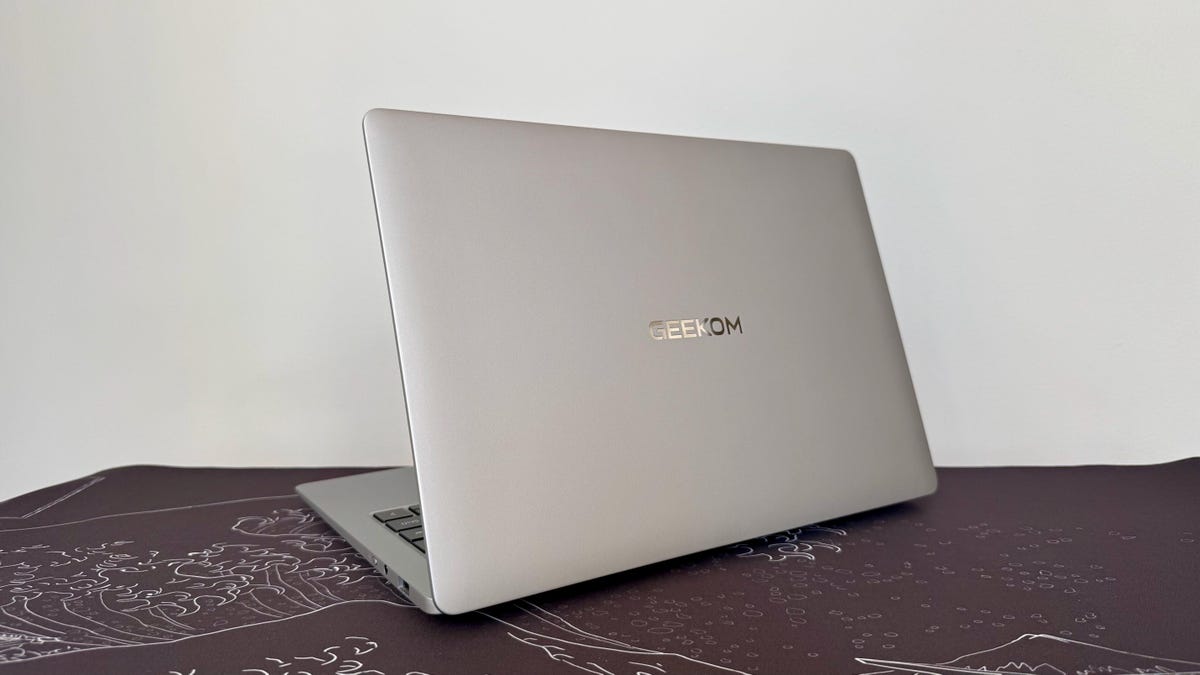
I like the look and feel of the GeekBook X14 Pro. The all-silver design is understated. I give Geekom credit for resisting the urge to slap some loud design elements on the GeekBook X14 Pro in an effort to draw attention to its first laptop.
The overall look is subtly elegant, with gently sloping surfaces on the top and bottom panels and minimal branding. The smooth matte finish of the magnesium-alloy chassis is pleasing to the touch.
When you pick up the laptop for the first time, you’ll be shocked at how lightweight it is. It weighs just 2.3 pounds, which is incredibly light for a 14-inch laptop.
Most models at this size weigh closer to three pounds. The 13.6-inch M4 MacBook Air, which has a slightly smaller screen and is also incredibly thin, weighs 2.7 pounds; the HP OmniBook 5 14 weighs 2.9 pounds. Still, the Asus Zenbook A14 at 2.2 pounds remains the lightest 14-inch laptop I’ve tested.
As much as I like the GeekBook X14 Pro’s magnesium-alloy enclosure, it has more flex to it than the ceramic/aluminum material that Asus uses for the Zenbook A14. Ceraluminum makes the Zenbook A14 both lighter and more rigid than the GeekBook X14 Pro.
The extreme portability is the chief attraction here, but the 2.8K, 120Hz OLED display is also nice to look at. The 2.8K resolution means crisp images and text, and the 120Hz variable refresh rate allows for smooth movement on the screen.
Contrast is great with deep blacks and bright whites. It proved to be a bit brighter than the average OLED, hitting a peak brightness of 412 nits on my tests with a Spyder X Elite colorimeter. It also showed excellent color coverage with 100% of the sRGB and P3 gamuts and 98% of AdobeRGB.
The stereo speakers were also surprisingly powerful for an ultrathin laptop, producing more dynamic audio at greater volume than I expected. With a hint of bass response and some separation between highs and mids, I even found myself enjoying listening to music on the GeekBook X14 Pro for short stretches.
The keyboard was also a bit better than I anticipated, given the laptop’s compact dimensions and thin chassis. The keys felt stable with just enough travel to deliver snappy feedback without feeling mushy.
The touch pad, however, is another story. I detest it.
Performing a simple mouse click requires great precision because only the bottom third of the touch pad’s surface is clickable. Try clicking anywhere on the top two-thirds of the touch pad, and you’re met with an outright refusal. It doesn’t budge. You will need to retrain yourself to position your thumb or finger near the touch pad’s bottom edge. I never got used to it.
Plus, without a touchscreen display, unless you want to use a mouse, you’re stuck with this terrible touch pad..
Thankfully, the GeekBook X14 Pro has a USB-A port on its right side for a wired mouse or wireless receiver, plus a 3.5mm audio jack and kill switch for the 1080p webcam. You’ll find a pair of USB4 USB-C ports on the left side and an HDMI 2.0 port.
The only ports missing are an Ethernet port and an SD card slot, but Geekom includes an adapter that provides one of those two missing ports. The adapter supplies an Ethernet port, USB-C port, two USB-A ports and an HDMI out.
Is the GeekBook X14 Pro a good laptop?
Geekom makes a good first effort with the GeekBook X14 Pro. The overall design is understated and elegant, and the laptop is incredibly lightweight at just less than 2.3 pounds. The 2.8K OLED display and surprisingly robust stereo speakers are both befitting of a premium laptop, as is the overall performance.
With such a portable laptop, however, battery life is of even greater importance than usual. And the Core Ultra 9 H-series processor from 2023 just can’t compete with mobile processors released in the last two years. The GeekBook X14 Pro offers only a fraction of the battery life you can get from other laptops today.
I’m excited to see what Geekom does with its next laptop, but I wouldn’t rush out and buy this first one. I want to see newer processors and a completely different touch pad in the next GeekBook.
The review process for laptops, desktops, tablets and other computerlike devices consists of two parts: performance testing under controlled conditions in the CNET Labs and extensive hands-on use by our expert reviewers. This includes evaluating a device’s aesthetics, ergonomics and features. A final review verdict is a combination of both objective and subjective judgments.
The list of benchmarking software we use changes over time as the devices we test evolve. The most important core tests we’re currently running on every compatible computer include Primate Labs Geekbench 6, Cinebench R23, PCMark 10 and 3DMark Fire Strike Ultra.
A more detailed description of each benchmark and how we use it can be found on our How We Test Computers page.
Geekbench 6 CPU (multicore)
MSI Prestige 14 Flip AI Plus 16607Apple MacBook Air 13 (M4, 2025) 15049HP OmniBook X 14 13428Geekom GeekBook X14 Pro 12495HP OmniBook 5 14 11379Lenovo Yoga Slim 9i 14 Gen 10 11029Dell 14 Plus 11027Acer Swift 14 AI 10918Asus Zenbook A14 10632
Geekbench 6 CPU (single-core)
Apple MacBook Air 13 (M4, 2025) 3818MSI Prestige 14 Flip AI Plus 2896Lenovo Yoga Slim 9i 14 Gen 10 2728Acer Swift 14 AI 2701Dell 14 Plus 2694HP OmniBook 5 14 2395HP OmniBook X 14 2370Geekom GeekBook X14 Pro 2343Asus Zenbook A14 2114
Cinebench 2024 CPU (multicore)
Apple MacBook Air 13 (M4, 2025) 824HP OmniBook X 14 809MSI Prestige 14 Flip AI Plus 692HP OmniBook 5 14 675Geekom GeekBook X14 Pro 627Acer Swift 14 AI 610Lenovo Yoga Slim 9i 14 Gen 10 583Asus Zenbook A14 535Dell 14 Plus 465
Cinebench 2024 CPU (single-core)
Apple MacBook Air 13 (M4, 2025) 169Acer Swift 14 AI 121Lenovo Yoga Slim 9i 14 Gen 10 121Dell 14 Plus 120MSI Prestige 14 Flip AI Plus 115HP OmniBook 5 14 110HP OmniBook X 14 100Geekom GeekBook X14 Pro 99Asus Zenbook A14 96
3DMark Steel Nomad
MSI Prestige 14 Flip AI Plus 1527Acer Swift 14 AI 871Lenovo Yoga Slim 9i 14 Gen 10 728Geekom GeekBook X14 Pro 683Dell 14 Plus 575HP OmniBook X 14 488Asus Zenbook A14 235HP OmniBook 5 14 228
PCMark 10 Pro Edition
MSI Prestige 14 Flip AI Plus 8761Geekom GeekBook X14 Pro 8009Lenovo Yoga Slim 9i 14 Gen 10 6812Acer Swift 14 AI 6811Dell 14 Plus 6767
Online streaming battery drain test
HP OmniBook 5 14 28 hr, 19 minMSI Prestige 14 Flip AI Plus 25 hr, 18 minHP OmniBook X 14 25 hr, 12 minAsus Zenbook A14 24 hr, 7 minAcer Swift 14 AI 22 hr, 13 minApple MacBook Air 13 (M4, 2025) 15 hr, 50 minDell 14 Plus 14 hrLenovo Yoga Slim 9i 14 Gen 10 13 hr, 27 minGeekom GeekBook X14 Pro 8 hr, 39 min
System configurations
| Geekom GeekBook X14 Pro | Microsoft Windows 11 Home; Intel Core Ultra 9 185H; 32GB DDR5 RAM; Intel Arc Graphics; 2TB SSD |
|---|---|
| MSI Prestige 14 Flip AI Plus | Windows 11 Home; Intel Core Ultra X7 358H; 32GB DDR5 RAM; Intel Arc B390 Graphics; 1TB SSD |
| Acer Swift 14 AI | Microsoft Windows 11 Home; Intel Core Ultra 7 258V; 32GB DDR5 RAM; Intel Arc 140V Graphics; 1TB SSD |
| Lenovo Yoga Slim 9i 14 Gen 10 | Microsoft Windows 11 Home; Intel Core Ultra 7 258V; 32GB DDR5 RAM; Intel Arc 140V Graphics; 1TB SSD |
| Dell 14 Plus | Microsoft Windows 11 Home; Intel Core Ultra 7 256V; 16GB DDR5 RAM; Intel Arc Graphics; 1TB SSD |
| HP OmniBook X 14 | Microsoft Windows 11 Home; Qualcomm Snapdragon X Elite X1E-78-100; 16GB DDR5 RAM; Qualcomm Adreno 741 Graphics; 1TB SSD |
| HP OmniBook 5 14 | Microsoft Windows 11 Home; Qualcomm Snapdragon X Plus X1P-42-100; 32GB DDR5 RAM; Qualcomm Adreno Graphics; 1TB SSD |
| Asus Zenbook A14 | Microsoft Windows 11 Home; Qualcomm Snapdragon X X1-26-100; 32GB DDR5 RAM; Qualcomm Adreno Graphics; 1TB SSD |
| Apple MacBook Air 13 (M4, 2025) | Apple MacOS Sequoia 15.3, M4 chip 10‑core CPU with 8‑core GPU; 16GB LPDDR5 unified memory; 256GB SSD |
Read the full article here