


Pros
- Innovative Privacy Display
- Long-lasting battery
- Intuitive AI features
- Consistently great cameras
Cons
- Some inconsistent AI features
- No magnetic wireless charging
- Many of the same specs at the S25 Ultra
There was a time, not too long ago, when phones didn’t all look the same and people took pleasure in showing off the unique hardware features of their devices. Swiveling keyboards, sliding displays and rotating cameras drew onlookers with their dynamic functionality.
In 2026, amid a sea of smartphone monotony, my version of smartphone peacocking is flaunting the Privacy Display feature on the Samsung Galaxy S26 Ultra. Any chance I get, I enthusiastically pull the phone out of my pocket, slowly tilt the screen away from my captive audience, and watch their jaws drop as all or portions of the screen disappear from view — no blackout screen protector needed.
It’s the little things sometimes.
The $1,300 Galaxy S26 Ultra, available to purchase now, isn’t a radical shift from last year’s S25 Ultra, but there are upgrades where it counts. Along with introducing the Privacy Display, the S26 Ultra is slimmer and lighter than ever. Though it has the same camera specs as last year, a feature called Horizontal Lock helps record more stable video and is one of the coolest new additions. The battery supports faster charging, and yes, there are more AI features onboard, but most of them are actually quite practical, even for an AI curmudgeon like me.
Watch this: Galaxy S26 Ultra, 48 Hours Later: My Top New Features
The S26 Ultra shares many features with the S26 baseline and 26 Plus, including the same AI capabilities and a Snapdragon 8 Elite Gen 5 processor. But if you’re a power user who likes having a larger display, a bigger battery and top-notch cameras — as well as the signature S Pen — the Ultra might be the way to go. And while the S26 and S26 Plus got $100 price hikes (along with an increased 256GB base storage level), the Ultra holds onto its (still high) $1,300 cost for 256GB, even amid a RAM shortage that threatens to raise phone prices.
After spending two weeks with the S26 Ultra, including while running around Barcelona covering Mobile World Congress, this phone has proven to be a reliable — and often delightful — powerhouse.
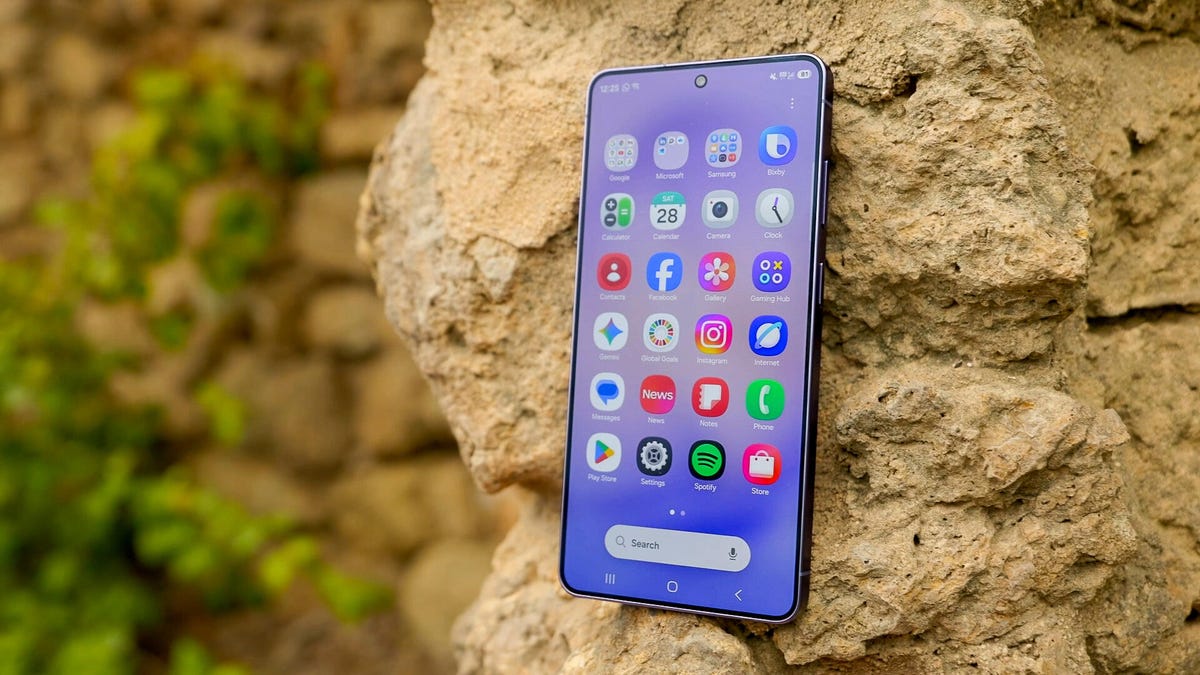
The Galaxy S26 Ultra has an aluminum frame. Here it is in cobalt violet.
Galaxy S26 Ultra look and feel
Samsung trimmed the S26 Ultra to 7.9mm thick, down from 8.2mm on the S25 Ultra. After swapping last year’s titanium frame for an aluminum one, the S26 Ultra also shaves off 4 grams to weigh in at 214 grams — a difference I can definitely feel in my hands.
These changes help Samsung’s top-of-the-line phone feel less like a behemoth — though if you’re not as inclined toward larger-screen phones as I am, it may still feel prohibitively bulky. But I think those dimensions, paired with a spacious 6.9-inch display, feel just right.
Privacy Display is the real showstopper here. The built-in hardware feature prevents someone next to you from seeing what’s on your screen, and it works whether you’re holding your phone vertically or horizontally. You can toggle it on for everything or just for certain apps, like a banking app or your email, as well as your lock screen, so no one sees your password or PIN.
Anybody snooping won’t be able to see your screen with Privacy Display enabled.
What’s most impressive is that you can also enable Privacy Display just for incoming notifications. So even if you’re, say, watching a video with the person next to you, they won’t be able to read the text as it rolls in. Instead, they’ll see a blacked-out box in the upper portion of your screen while everything else remains visible. It’s a really neat capability that I keep turned on all the time — not because there’s anything particularly sensitive on my screen, but just because I think it’s awesome.
It’s worth noting that enabling the Privacy Display setting slightly mutes the vividness of the display, even when looking at it head-on. But it’s not a particularly glaring trade-off, and I don’t feel any difference as I use the phone.
The S26 Ultra carries over last year’s Corning Gorilla Armor 2 cover glass and Gorilla Glass Victus 2 backing. I’ve gone case-less and without a screen protector for the last couple of weeks and am happy to report no scratches so far. (But I’d still generally recommend adding that protection, especially for a $1,300 phone that’s large enough to potentially lose your grip on.)
The S26 Ultra comes in the same colors as the S26 baseline and S26 Plus: cobalt violet, sky blue, black and white, along with the online-exclusive shades of silver shadow and pink gold. By switching to an aluminum build, Samsung says it could extend the same shades across the phone’s frame and back, creating a more unified look. I have the S26 Ultra in cobalt violet, which has a slightly gray undertone and is a good fit if you like a dose of color that’s not too bold.
And have no fear: The S Pen lives on. It’s thinner than last year’s, and the bottom is slanted on one side to align with the curvature of the S26 Ultra. That means you should double-check you’re sliding the pen back in the right way, otherwise it’ll slightly protrude from the phone. I’m not a huge S Pen user and tend to forget it’s even there, but nonetheless, I’m glad it still comes on board the Ultra.
The S26 Ultra keeps the same camera specs as last year.
Galaxy S26 Ultra camera gets an AI boost — again
Like the S25 Ultra, the S26 Ultra’s rear camera consists of a 200-megapixel wide-angle, 50-megapixel ultrawide-angle, 10-megapixel 3x telephoto and 50-megapixel 5x telephoto lens. There’s also a 12-megapixel selfie camera.
The S26 Ultra consistently delivers the high-quality images I’d expect from Samsung’s most premium phone. Larger apertures on both the wide-angle and telephoto lenses can capture more light, Samsung says, which results in clearer photos with more detail in low-light environments.
Here are some of my favorite shots I took on the S26 Ultra:
Enlarge Image
Everyone’s face is well-lit, and the background bokeh effect is perfectly executed to make CNET’s Tara Brown, Allyza Umali and Carly Marsh seamlessly stand out.
Enlarge Image
Even on a foggy morning, the greens and pinks here pop.
Enlarge Image
Larger apertures on both the wide-angle and telephoto lenses can capture more light, Samsung says. That means clearer photos with more detail in low-light environments.
Enlarge Image
Look at those vivid reds.
Enlarge Image
More vibrant colors at this fruit stand. This portrait shot is so crisp.
Enlarge Image
This low-light photo turned out nice and clear, and the colors in the mocktail still pop.
Enlarge Image
What better way to see how colors show up on the S26 Ultra than a visit to the Sagrada Familia? The details in the ceiling are also so sharp.
Enlarge Image
This is a 1x shot. Not a great overal image with all the obstructions.
Enlarge Image
And here’s a 10x shot. I’m impressed with how clear the details are after punching in from so far away.
Enlarge Image
Selfies are designed to better capture natural skin tones and textures in a variety of lighting.
The standout camera capability on the S26 lineup is Horizontal Lock. When shooting a video with the feature turned on, you can tilt the phone as much as you want and still keep the horizon level. Even when I rotate the S26 Ultra 360 degrees, the final recording stays mostly even, apart from some slight bouncing. But the footage is never upside-down. To be fair, I don’t do any particularly wild activities that necessitate that much stabilization. But it was nice to have astonishingly steady footage as I walked around Barcelona recording my surroundings. If you’re more adventurous than I am, you’ll likely appreciate the gimbal-like quality with Horizontal Lock.
Not surprisingly, many of the S26 Ultra’s camera-related advancements come in the form of AI updates. They tend to lean more toward practicality than flashy gimmicks — for the most part.
Document Scan is an option that’ll pop up on your screen when you’re snapping a photo of a document — or, as I used it when expensing meals in Barcelona, a receipt. It’ll remove shadows and creases to serve up a crisper image, which you can export as a PDF. It does a good job of cleaning things up, but lends a slightly more washed-out quality to the final image. Samsung says Document Scan is supposed to remove obstructive fingers, but it always keeps mine in the shot and gives them a terrifyingly pasty quality to boot. Still, the feature is a good way to level up otherwise scrappy shots of documents and give them a more professional look.
Arguably, the most practical (if mundane) photo-related update concerns how screenshots are stored in your Gallery. Now, they’ll be grouped into eight categories, including boarding passes, chats and QR codes, so that they’re easier to find. This was helpful when I didn’t have to dig for Park Güell tickets I’d screenshotted; instead, I found them neatly sorted into an automatically generated “Barcodes and QR codes” folder.
Photo Assist does the most obvious generative AI heavy-lifting. When you’re browsing through your Gallery, you can type a prompt directly in the app to alter images to your liking. So if you want to change a background or even what you’re wearing, Galaxy AI will generate that image. I used this on a picture of a burrito that I’d taken a bite out of, and Photo Assist seamlessly filled in the missing chunk, black sesame seeds and all (For context, it was a Spanish burrito). Now, both you and your camera can eat first — kind of. The tech is impressive, but I’m not one for AI-generated images, unless I’m erasing photobombers.
Enlarge Image
Photo Assist generated all the missing details.
Other (sometimes helpful) AI features on the S26 Ultra
Now Nudge is a feature designed to make Galaxy AI more of an assistant. It’ll surface real-time suggestions based on what’s on your screen. So if someone texts you asking to send pictures from Barcelona, a prompt will appear within the message, leading you to all the photos from that location so you don’t have to dig them up yourself. Similarly, if they ask if you’re free to grab dinner on Friday, a link to your calendar will appear so you can quickly check your availability.
Now Nudge is a great concept, and it’s similar to the Magic Cue feature on Google’s Pixel 10 devices that I found to be quite helpful. It’s an example of AI actually making tasks quicker and easier, rather than haphazardly being shoehorned into everything. But it’s only great when it works. It was inconsistent throughout my testing, and I couldn’t get it to surface on third-party apps like WhatsApp. In classic AI fashion, I imagine it’ll improve over time.
Now Nudge will suggest actions and information based on what’s happening on your screen. Here, it proposes times that might work for a hangout.
Google’s Circle to Search, one of my favorite mobile features for quickly looking up what’s on your screen, gets a welcome update. It can now look up multiple objects on your screen at the same time. That includes entire outfits, via a feature called Find the Look that links out to each piece of an ensemble I’ve circled, accessories and all. The update is rolling out on the S26 series and Pixel 10 devices first.
I was thrilled when Audio Eraser debuted on the Galaxy S25 series to clean up distracting noises in videos. Now, you can use Audio Eraser on third-party videos, too, like if you’re watching something on YouTube or Instagram and want to tone down background sounds.
I can understand the appeal of using Audio Eraser on any outlier videos with rough sound quality, but I’m not sure how often this would come in handy otherwise. Most (good) content creators know how to tune out distracting noises when they’re recording or editing. When I took this feature for a spin, it tended to wash away audible ambiance like water fountains and crowd murmur that I think lends to the realism of a video. But there is a slider if you’d rather just slightly adjust unwanted background noise and boost voices in a video.
The S26 Ultra’s battery can last well over a day and a half.
Galaxy S26 Ultra battery and performance
I spent my first week with the S26 Ultra data roaming in Spain, so I refrained from doing official battery tests there. Anecdotally, though, the phone’s 5,000-mAh battery powered through each day without significant drain or issues.
Once I was back on home turf, the S26 Ultra truly showcased its battery prowess. I can easily go over a day and a half on a single charge, even after binging YouTube videos, texting and scrolling through Instagram more than I should. As an example, one day I started with a full battery at around 8 a.m., and the phone lasted until 10:50 p.m. the following day.
The S26 Ultra charges rapidly with improved 60-watt charging. I went from 0% to 76% battery in half an hour, and reached a full charge in 52 minutes. The Ultra also supports up to 25-watt wireless charging, which takes the phone from 0% to 39% in 30 minutes.
While we’re on the subject of wireless charging, one of the biggest bummers is that the S26 lineup once again doesn’t have embedded magnets, so you’ll need a compatible case to tap into Qi2 magnetic charging. Samsung says the trade-off was necessary to keep the phones slim and light. Hopefully, it’ll find a way to tick all the boxes in the near future.
In CNET’s 45-minute endurance test, which involves streaming, scrolling through social media, joining a video call and playing games, the Galaxy S26 Ultra’s battery went from full to 95%. By comparison, the S25 Ultra reached 92%, and the Google Pixel 10 Pro XL hit 93%. All phones we tested are topped by the iPhone 17 Pro Max, which finished at 99%
In a longer, 3-hour streaming test over Wi-Fi, in which I watched a YouTube video in full-screen mode at full brightness, the Ultra’s battery dropped from 100% to 87%. That puts it well above the S25 Ultra, which landed at 81%. The S26 Ultra also beat the iPhone 17 Pro’s 85% and the Google Pixel 10 Pro XL’s 76%. Once again, the iPhone 17 Pro Max came out on top here at 91%.
The full S26 lineup is powered by the Snapdragon 8 Elite Gen 5 processor for Galaxy, which enables many AI features and keeps the phones running smoothly.
Samsung redesigned the S26 Ultra’s vapor chamber to sustain high performance while also reducing the phone’s thickness. Thermal interface material along the sides of the processor allows for more efficient heat dissipation across a greater surface area, the company says. That means you can keep using the S26 Ultra for high-demand activities like gaming or streaming high-definition video without it heating up or lagging. I haven’t experienced any issues on either of those fronts.
The S26 Ultra runs Android 16 and Samsung’s One UI 8.5 out of the box, and it supports seven years of software and security updates, which has become standard on most premium Android phones.
Benchmark tests for the CPU in Geekbench 6 place the S26 Ultra above the Galaxy Z TriFold, Galaxy Z Fold 7 and Google Pixel 10 Pro XL, and it slightly tops the S25 Ultra. It’s on par with the baseline S26.
In a graphics test using 3DMark’s Wild Life Extreme, the S26 Ultra exceeded the performance of the Galaxy Z TriFold, Galaxy Z Fold 7 and iPhone 17 Pro Max, and it just barely tops the S25 Ultra. It was beaten out by the RedMagic 11 Pro.
Check out the graphs below for more specifics.
Geekbench v.6.0
Samsung Galaxy S26 Ultra 3,578 10,700Samsung Galaxy S26 3,698 10,089Samsung Galaxy Z TriFold 2,980 9,582Samsung Galaxy Z Fold 7 2,944 9,379Google Pixel 10 Pro XL 2,288 6,215Samsung Galaxy S25 Ultra 3,053 9,707Apple iPhone 17 Pro Max 3,907 10,023RedMagic 11 Pro 3,683 11,664
3DMark Wild Life Extreme
Samsung Galaxy S26 Ultra 7,353Samsung Galaxy S26 7,664Samsung Galaxy Z TriFold 5,909Samsung Galaxy Z Fold 7 6,424Google Pixel 10 Pro XL 3,354Samsung Galaxy S25 Ultra 6,950Apple iPhone 17 Pro Max 5,789RedMagic 11 Pro 8,074
The Galaxy S26 Ultra is a powerhouse.
Galaxy S26 Ultra final thoughts
The S26 Ultra isn’t a dramatic departure from its predecessor, but it keeps what made the S25 Ultra shine while adding some notable capabilities. The Privacy Display and Horizontal Lock are two of its standout features, namely because they’re intuitive and practical rather than simply flashy. The same can be said for most of the AI features Samsung loaded onto its latest lineup, like Now Nudge, Document Scan and screenshot categorization in Gallery.
Despite having similar camera and battery specs to last year, minor improvements nudge the S26 Ultra slightly forward. I’m most impressed with how well the battery held up throughout the day(s), and lightning-fast wired charging is a huge perk. Hopefully, the next Galaxy S series introduces magnets for improved wireless charging; if Apple can bring MagSafe to its budget-range iPhone 17E, I have faith Samsung can follow suit.
If you have the Galaxy S24 or S25, the incremental changes in the S26 Ultra aren’t much of a draw to upgrade. But if you’re in the market for a new phone, it’s also worth considering the baseline Galaxy S26 or S26 Plus, which pack most of the same features for a slightly lower price. You won’t get the nifty Privacy Display feature on those phones, but I can attest that Horizontal Lock has proven to be an equally enthralling party trick.
Samsung Galaxy S26 Ultra vs. S25 vs. S26 vs. S26 Plus
| Samsung Galaxy S26 Ultra | Samsung Galaxy S25 Ultra | Samsung Galaxy S26 | Samsung Galaxy S26 Plus | |
|---|---|---|---|---|
| Display size, tech, resolution, refresh rate | 6.9-inch AMOLED; 3,120×1,440 pixels; 1-120Hz adaptive refresh rate | 6.8-inch AMOLED; 3,120×1,440 pixels; 1-120Hz adaptive refresh rate | 6.3-inch AMOLED; 2,340×1,080 pixels; 1-120Hz adaptive refresh rate | 6.7-inch AMOLED; 3,120×1,440 pixels; 1-120Hz adaptive refresh rate |
| Pixel density | 500 ppi | 501 ppi | 411 ppi | 516 ppi |
| Dimensions (inches) | 6.44×3.07×0.31 | 6.41×3.06×0.32 | 5.89×2.82×0.28 | 6.24×2.98×0.29 |
| Dimensions (millimeters) | 163.6×78.1×7.9 | 162.8×77.6×8.2 | 149.6×71.7×7.2 | 158.4×75.8×7.3 |
| Weight (grams, ounces) | 214 g (7.55 oz.) | 218 g (7.69 oz.) | 167 g (5.89 oz.) | 190 g (6.70 oz.) |
| Mobile software | Android 16 | Android 15 | Android 16 | Android 16 |
| Camera | 200-megapixel (wide), 50-megapixel (ultrawide), 10-megapixel (3x telephoto), 50-megapixel (5x telephoto) | 200-megapixel (wide), 50-megapixel (ultrawide), 10-megapixel (3x telephoto), 50-megapixel (5x telephoto) | 50-megapixel (wide), 12-megapixel (ultrawide), 10-megapixel (3x telephoto) | 50-megapixel (wide), 12-megapixel (ultrawide), 10-megapixel (3x telephoto) |
| Front-facing camera | 12-megapixel | 12-megapixel | 12-megapixel | 12-megapixel |
| Video capture | 8K | 8K | 8K | 8K |
| Processor | Qualcomm Snapdragon 8 Elite Gen 5 for Galaxy | Qualcomm Snapdragon 8 Elite for Galaxy | Qualcomm Snapdragon 8 Elite Gen 5 for Galaxy | Qualcomm Snapdragon 8 Elite Gen 5 for Galaxy |
| RAM + storage | 12GB RAM + 256GB; 16GB RAM + 512GB, 1TB | 12GB RAM + 256GB, 512GB, 1TB | 12GB RAM + 256GB, 512GB | 12GB RAM + 256GB, 512GB |
| Expandable storage | None | None | None | None |
| Battery | 5,000 mAh | 5,000 mAh | 4,300 mAh | 4,900 mAh |
| Fingerprint sensor | Under display | Under display | Under display | Under display |
| Connector | USB-C | USB-C | USB-C | USB-C |
| Headphone jack | None | None | None | None |
| Special features | Aluminum frame; 7 years of OS and security updates; IP68 water and dust resistance; wireless PowerShare to charge other devices; integrated S Pen; UWB for finding other devices; 60W wired charging (charger not included); 25W wireless charging; no magnets for accessories; Galaxy AI; Gorilla Glass Armor 2 cover glass; privacy display | Titanium frame, 2,600-nit peak brightness; 7 years of OS and security updates; 5G (mmWave); IP68 water and dust resistance; wireless PowerShare to charge other devices; integrated S Pen; UWB for finding other devices; 45W wired charging (charger not included); Galaxy AI; Wi-Fi 7; Gorilla Glass Armor cover glass; ultrawideband | 2,600-nit peak brightness; 7 years of OS and security updates; IP68 water and dust resistance; wireless PowerShare to charge other devices; 25W wired charging (charger not included); 15W wireless charging; lacks built-in magnets; Gorilla Glass Victus 2 cover screen; Galaxy AI | 2,600-nit peak brightness; 7 years of OS and security updates; IP68 water and dust resistance; wireless PowerShare to charge other devices; 45W wired charging (charger not included); 20W wireless charging; lacks built-in magnets; Gorilla Glass Victus 2 cover screen; Galaxy AI |
| US price starts at | $1,300 (256GB) | $1,300 (256GB) | $900 (256GB) | $1,100 (256GB) |
How we test phones
Every phone CNET’s reviews team tests is used in the real world. We test a phone’s features, play games and take photos. We examine the display to see if it’s bright, sharp and vibrant. We analyze the design and build to see how it is to hold and whether it has an IP rating for water resistance. We push the processor’s performance to the extremes using standardized benchmark tools like GeekBench and 3DMark, along with our own anecdotal observations navigating the interface, recording high-resolution videos and playing graphically intense games at high refresh rates.
All the cameras are tested in a variety of conditions, from bright sunlight to dark indoor scenes. We try out special features like night mode and portrait mode, and compare our findings against similarly priced competing phones. We also check out the battery life by using it daily, as well as running a series of battery drain tests.
We take into account additional features like support for 5G, satellite connectivity, fingerprint and face sensors, stylus support, fast charging speeds and foldable displays, among others, that can be useful. We balance all of this against the price to give you the verdict on whether that phone, whatever price it is, actually represents good value. While these tests may not always be reflected in CNET’s initial review, we conduct follow-up and long-term testing in most circumstances.
Read the full article here