


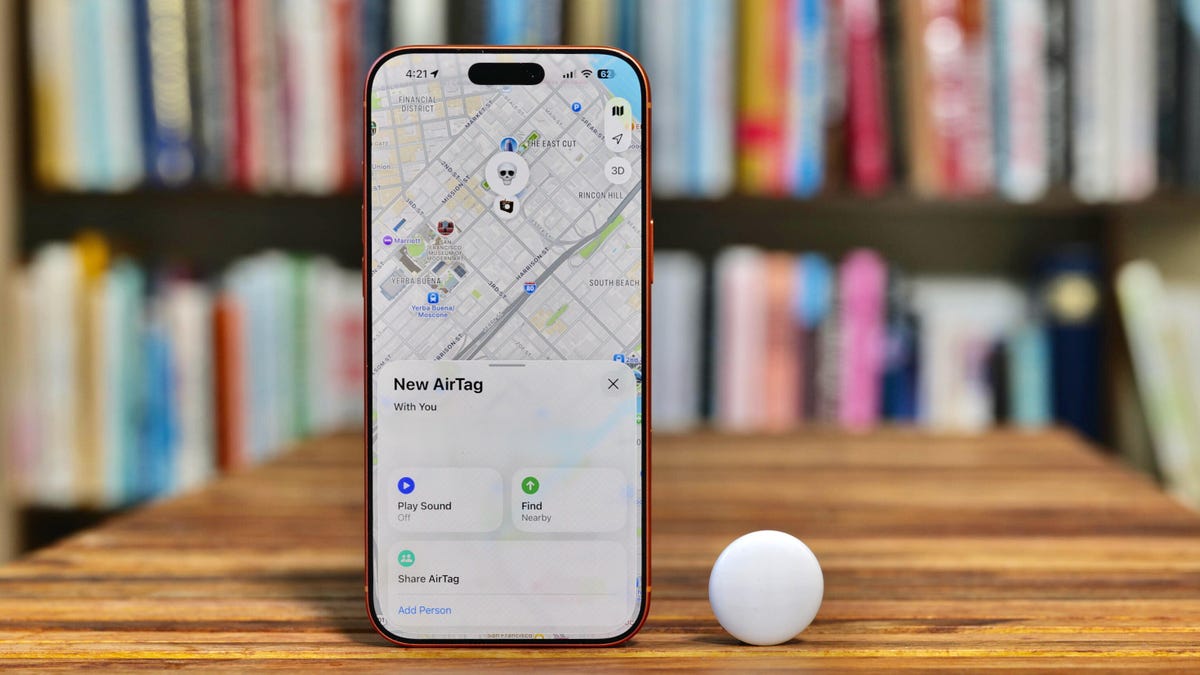
When Apple released its second-generation AirTag trackers, I was intrigued by the new features, but mostly shrugged at the news. The AirTags I use regularly work just fine, so why upgrade?
It was partly financial: The first-gen tags are still available for around $60 in a four-pack, a 40% savings from their regular price of $99, as retailers and Apple work through their inventories. The new second-generation tags are being sold for that $99 retail price, or $29 for a single AirTag.
Mostly, I wondered if the improvements were worth replacing perfectly good trackers with new ones. After reading CNET Director of Content Patrick Holland’s experience testing the second-gen features, I decided the expanded range, louder speaker and ability to locate the tags using my Apple Watch were worth the cost. I already rely on the old AirTags enough that I knew it would be a solid investment.
Since AirTags come in packs of four, I needed to figure out which four items deserved the AirTag 2 upgrade. I prioritized things I reach for most days — which might vary for you. If you travel often, for instance, a carry-on bag might be at the top of your list.
Keyring
I like the idea of living in a future where I can unlock my house and car using my Apple Watch or iPhone, but that’s not quite my future yet. My older house doesn’t care much for door frames that line up perfectly, and my car only wishes it had “new” technology like a backup camera.
I replaced my first-generation AirTag with a second-generation one for my keys in case I accidentally drop them.
My keys need to go with me everywhere. Being able to use Precision Finding on my iPhone or Apple Watch means I can walk right up to them, thanks to the second-generation ultra-wideband chip inside the AirTag. And because the tags are the same size and shape as the previous versions, I didn’t need to buy a new keychain case.
Main bag or purse
The second AirTag went straight into my everyday backpack. It holds my laptop, sometimes a second smartphone for testing and at least one camera, depending on where I’m going (often a coffee shop).
If you carry a purse or other constant-companion bag that holds your wallet or credit cards, throwing an AirTag inside is a no-brainer.
Glasses case
This one is less common. A few years ago I realized I’m better off with two sets of eyeglasses: a pair with progressive lenses for most situations, and a second pair with a single-vision prescription for when I’m working at the computer. For that reason, my glasses case now also goes everywhere with me. I’ve caught myself out driving to the grocery store with the computer glasses, and that’s not fun (or entirely safe).
I slipped an AirTag into my glasses case so I wouldn’t lose my important specs.
So, my third new AirTag went into the glasses case. It’s not the greatest fit — the tag essentially sits in with the unused pair of glasses, but I also keep a couple of lens-cleaning cloths in there so it doesn’t bounce around much. You can buy cases with AirTag slots, and Satechi makes a case with integrated Apple Find My electronics that looks interesting, but so far my inexpensive solution works.
Camera bag
When I go out on a photo shoot or a picturesque weekend, I bring more camera gear — pricey gear I certainly don’t want to lose. So, my fourth new AirTag went directly into my dedicated camera bag (a Shimoda Explore v2).
For this, the extra Bluetooth and Precision Finding range is especially handy. If I’m out photographing a sunrise, I may not haul my entire bag to every spot I set up for capturing photos. I don’t go trekking too far — I’m not insane. But sometimes the bag isn’t always easy to see in tall grass or amid rocks.
Honorable mentions
My main roller bag for travel has a first-gen AirTag in it, and if I traveled more often, I’d swap it out for the new model. As it is, the upgrade features don’t give me much of an advantage over what I have, especially since more airports are now set up to detect AirTags when the bag is deep in the recesses of the luggage handling systems.
Here’s the 2nd-gen AirTag (left) next to a 5-year-old 1st-gen AirTag.
A wallet is also a good candidate, since it holds my driver’s license, credit cards and cash. However, the AirTag is too bulbous to fit in my traditional leather wallet, so it’s not a good fit. For that, I’d look to something like Peak Design’s Beacon Finder Card or the AirCard Pro by Lululook, both of which are closer in shape and thickness to a credit card.
Lastly, a good AirTag target is the pocket of a favorite coat or jacket. (I’m sure my mom wished AirTags existed when I was in grade school and lost jackets on a fairly regular basis.)
In fact, because my second-generation AirTags have replaced four first-gen tags, which still work just fine, I’ve put two of them into coats so I don’t leave them behind in a café or restaurant. Now I need to find places for the other two.
Watch this: Testing the New AirTag, While Tim Cook’s White House Visit Sparks Apple Boycott Calls
Read the full article here