


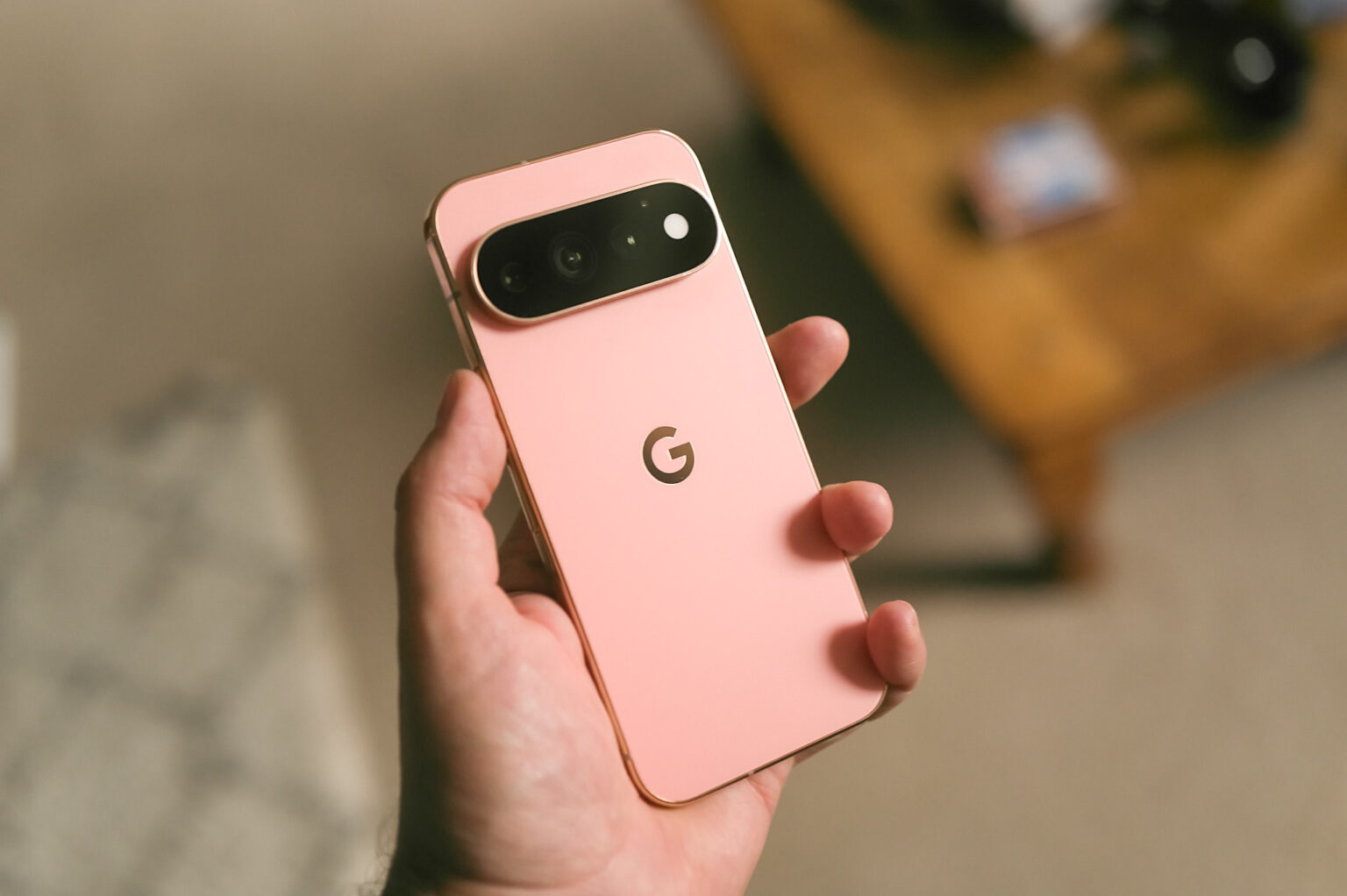
The Pixel 11 Pro isn’t a revolution. It’s a scattering of upgrades, most of which are minor. While Google could have tried harder to overhaul its flagship, I actually don’t think it needed to. The Pixel 10 Pro was already a superb, award-winning Android phone, and the 11 Pro simply builds on that success. The result is a slick device I really enjoy using.
There’s the new Tensor G6 processor, a bevy of fresh camera tricks and faster charging speeds. It’s got a polished design with a new notification light and a peachy color that’s glorious to look at. Sure, there’s some new AI stuff thrown in too. It all adds up to the Pixel 11 Pro being one of the most refined phones Google has ever made.
While I was expecting a significant price bump everywhere due to the ongoing components shortage, Google technically made its base model cheaper in some regions and more expensive in others. It depends on where you live.
Pros & Cons
-
Beautiful design -
Easy to use -
Solid camera with creative filters
-
Battery life could be better -
Base models have less RAM
Google eliminated the $999 128GB storage option from its Pro lineup, making the $1,099 Pixel 11 Pro with 256GB of storage the new entry point for the premium models. If you’re lucky enough to live in the UK, like me, 256GB of storage is now marginally more affordable with the Pixel 11 Pro starting at £1,079, £20 less than the 256GB Pixel 10 Pro. The Pixel 11 Pro XL is more expensive, starting at $1,299 in the US and £1,279 in the UK, amounting to $100 and £80 price increases, respectively, over the Pixel 10 Pro XL.
I was expecting worse. But RAM is another matter: All Pixel 11 Pro models start with 12GB of memory at their lowest storage tiers, compared to the Pixel 10 Pro and 10 Pro XL, which had 16GB. While those UK prices might seem positive, it’s important to keep in mind that the starting RAM has dropped from 16GB to 12GB. If you want more, it’ll cost you. The Pixel 11 Pro and 11 Pro XL variants with 512GB and 1TB of storage come with 16GB of RAM. My review model, for reference, has 512GB of storage and 16GB of RAM.
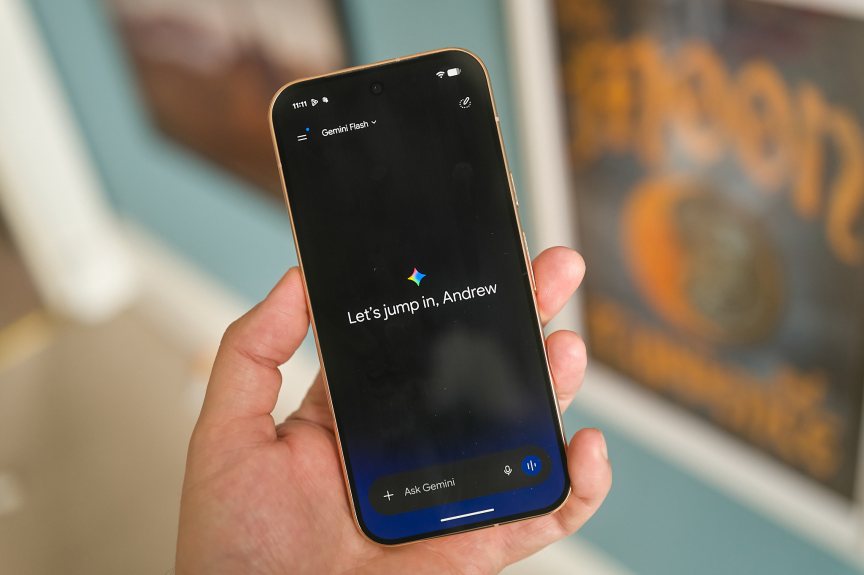
The phones do have seven years of software and security updates, so they’ll still be good to use until at least 2033, as long as you look after them. Remember that the longer you keep using your phone before upgrading, the more value you squeeze out of it.
The Pixel 11 Pro and 11 Pro XL are available to preorder and are in stores starting August 20.
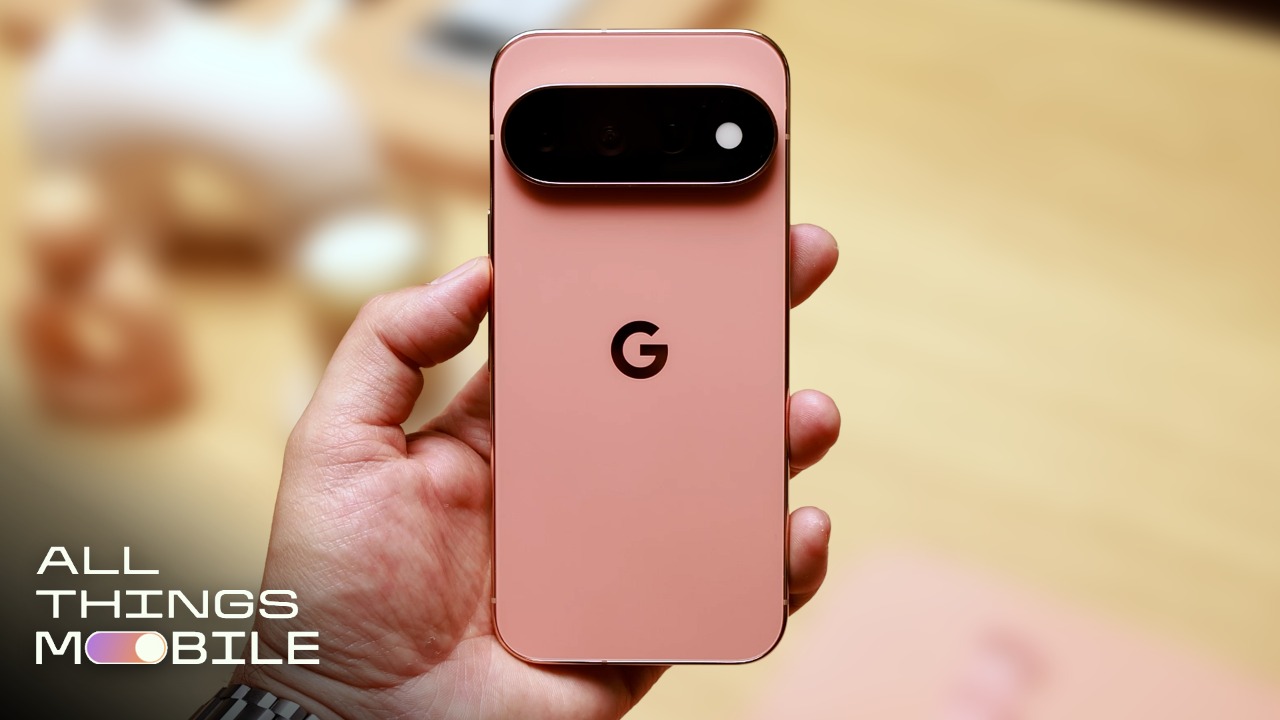
Pixel 11 Pro: Refined design with HiLight
As in previous generations, the only difference between the 6.3-inch Pixel 11 Pro and the 6.8-inch 11 Pro XL is the screen size and a slightly bigger battery in the latter. Neither looks significantly different from their predecessors, with a glass-and-metal construction and a pill-shaped camera bar stretching across the back. The glass on the bar now fills the whole “island camera block,” which looks classier as a result, while Corning Gorilla Glass Victus 2 makes them the most durable Pixel phones yet, Google says. That’s great news for clumsy people — a group in which I count myself a proud member.
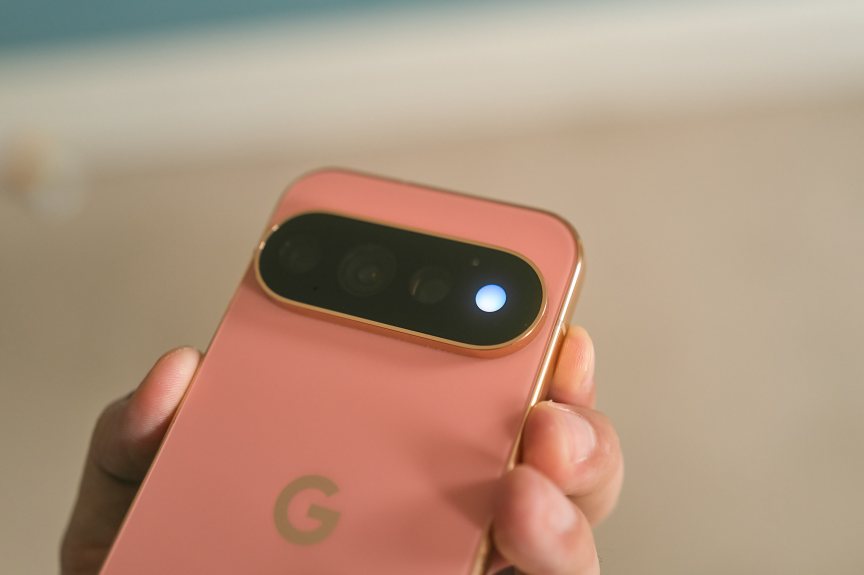
The camera bar gets the Pixel 11 Pro’s most noticeable new hardware feature: a revamped LED flash that Google calls HiLight, and functions as a notification alert. If your phone is face down on your desk, the HiLight circle will light up to tell you of an incoming call or notification — or will glow softly to show that Gemini has been voice-activated and is listening to your commands.
It’s a neat idea, especially as you can customize the colors according to who’s calling (a nice calming blue for your partner and an angry red for your boss, perhaps?), but it’s hardly a cutting-edge feature. We’ve seen notification lights on phones for years — most notably in the dazzling array of LEDs on the backs of Nothing’s phones — and while I’ve found them useful, I prefer keeping my phone screen-up so I can see the notifications for real. If I turn my phone over, it’s because I don’t want to be distracted by incoming notifications.
The phone comes in a variety of new colors, including a nice sage green and a soft pink with gold accents, called Canyon, that I absolutely love. I have a thing for pink gadgets (I turned my orange iPhone 17 Pro pink with chemicals and customized my $8,000 Leica camera with a bright pink wrap) and I these tones are the most beautiful Google has used on its phones. Don’t want the lovely pink? Fine, there’s also a matte black option, but just know I’ll be disappointed in you. Not angry, just disappointed.
Pixel 11 Pro cameras: New color profiles for creative shooters
While it might seem that the camera hardware hasn’t changed since last year (it’s the same trio with the same resolution: wide, ultrawide and telephoto), Google reckons that a lot has been done to improve camera performance. For one, the main camera uses an “all-new” 50-megapixel image sensor to deliver better dynamic range and light tones in a variety of conditions, despite being the same size as the 10 Pro’s 1/1.3-inch sensor. The 48-megapixel telephoto zoom uses a larger sensor, promising a 30% increase in light capture.




I’ve taken a ton of photos, including around Paris, and I’m impressed by the Pixel 11 Pro’s results. Images are packed with detail, with evenly lit exposures that avoid looking overprocessed. To take my shots further, I also used the Pixel’s new Camera Looks tool, which offers a variety of color profiles that give photos a more creative style than the default camera.
There’s a range to choose from — including a high contrast black-and-white mode — and you can customize them further by tweaking the white balance, adding film grain and adjusting the intensity of the shadows. I enjoyed playing around with these, especially the Vanilla look, which lends a warmer, almost filmic feel to the photos.
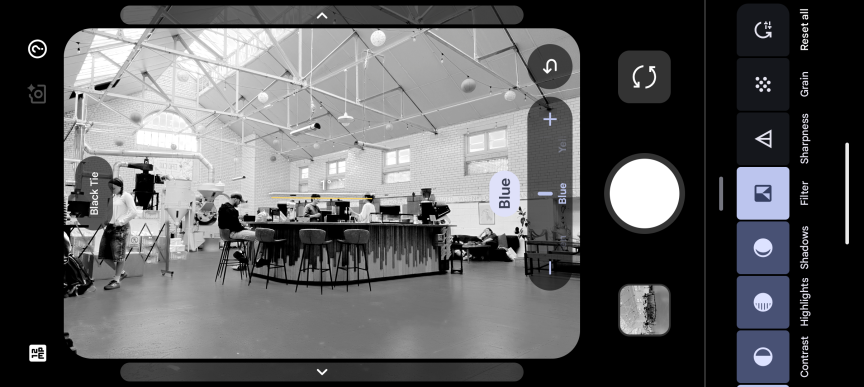
Some looks simply tweak contrast too much for my tastes but I enjoy that it lets you focus on the creative side of photography rather than leaning into AI gimmicks. It reminds me of similar features on Fujifilm’s cameras — including the iconic X100VI — which offers a variety of built-in filmic styles to shoot with. I don’t think Google takes full advantage of this tool yet, but it’s a step in the right direction and a welcome addition for casual shutterbugs who love to simply snap away without worrying about editing later.


Those of you who do love editing images can also shoot in DNG raw and tweak those images to your heart’s content later on in apps like Adobe Lightroom or Snapseed. The latter remains a Google-owned product that bafflingly hasn’t been integrated into the Pixel phone experience for reasons I still don’t understand.
There’s plenty of AI in the cameras, too. Notably, the telephoto zoom can go up to 120x magnification for snaps of distant objects. Anything above 30x digital zoom uses generative AI to artificially recreate your image based on an assessment of the camera’s view. If you shoot your images in JPEG and raw to compare, you can see the wild difference between the pixellated photo of garbled details your camera actually captured, versus the crisp AI-generated version the phone created.

To be fair, it actually fabricates details well. I took a photo of the French flag flying above a building, and it’s honestly wild that the phone could create a usable image from something impossibly far away. On the other hand, I personally don’t want generative AI anywhere near my photos. As a professional photographer myself, I want to know that what I captured was really there, not approximated by algorithms and machine learning models. I’m impressed at what this tech can do, but morally opposed to using it myself.
I feel better about Google’s other new AI tool, called Magic Capture. This essentially shoots a short video clip and then uses AI to select the best still frames from it for you. It’s aimed at parents taking photos of their kids messing around, and indeed, I used it to snag some cool shots of a young skateboarder hitting a ramp in the heart of Paris. The shots it selected were indeed the best from the set.

I don’t mind this, as it’s not using generative AI to create something that wasn’t there; it’s simply picking the best frames based on factors like which image is sharper, whether the whole person is in the frame, if the subject has their eyes open, and so on.
There are also new tools aimed at content creators, including an autocue mode that puts your script on-screen just below the front-facing camera, as well as the capability to group your videos into project folders for better organization. How helpful these tools really are for the creator community remains to be seen.
Google arguably could have done a lot more with its cameras. It could have used a larger main image sensor and employed bleeding-edge LOFIC technology, as seen on Xiaomi’s and Leica’s Leitzphone, which helps protect image highlights. The Leitzphone costs far more than the Pixel, so I have to conclude that Google has found a solid balance of performance versus price. Do better camera phones exist? Yes. Will you pay more to get them? Also yes.
Pixel 11 Pro: Android 17 and AI additions
The phone launches with the latest Android 17, and as it’s a Google phone, there’s no additional manufacturer skin on top (like Samsung’s OneUI). You get a neat, fuss-free experience. It’s why Pixels are among my favorite Android phones for everyday use, and the 11 Pro is just as pleasant to use as its predecessors.
There are some new AI tools thrown in, too, including deeper functionality for Gemini Intelligence to surface relevant information automatically as you go about your day (such as bringing up flight info when messaging your friend about your travel plans). Circle to Search also works in the camera to find info on whatever you’re looking at. Yes, it’s mostly designed as a “where can I buy this?” shopping tool, but it also supports live translation and search. For example, if you circled a menu item in Japanese, it could not only translate that to English but also provide more information about the dish itself.
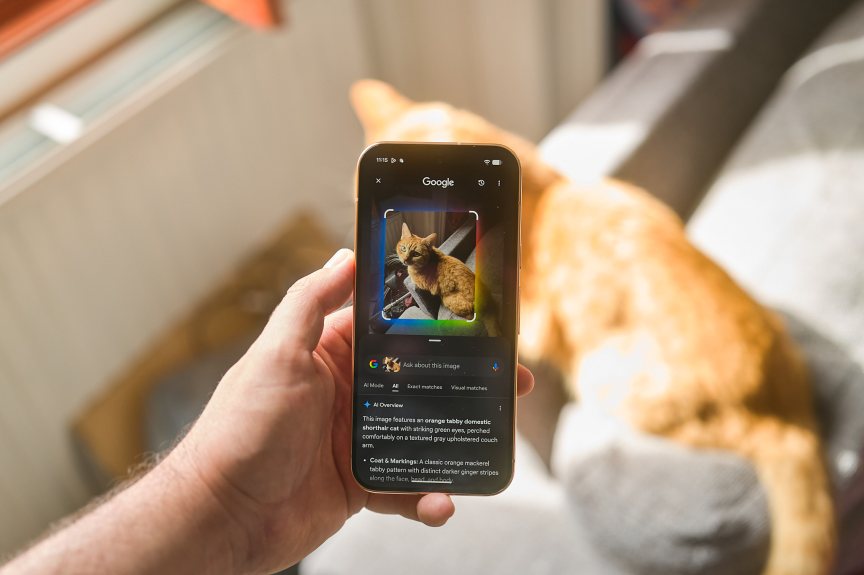
Speaking of translation, the phone can also translate and provide real-time dubbing for certain videos and apps. My colleague, CNET senior technology reporter Abrar Al-Heeti, got to test the Pixel 11 Pro’s translation/dubbing feature as well as one that translates American Sign Language, and she was floored.
In my own testing, I set the feature to translate from German to English and settled in to watch a cake recipe on YouTube in German. The results were… weird. The speech came back in sporadic chunks, with slightly different tones of voice and some inaccurate words, making the video difficult to follow. I thought I’d give it an easier challenge with a “German for beginners” video, but it had the same problems and was basically unwatchable. It’s a nice idea in theory, yet in my early testing, it’s not exactly breaking down the language barrier for me.
Pixel 11 Pro: Battery life and charging
Google has equipped the 11 Pro with a 4,850-mAh battery, which the company reckons will last for over 30 hours of use. And maybe it can, but it’d have to be through a day of light use, as our own battery test results didn’t exactly impress. After one hour of streaming a 4K YouTube video at max screen brightness, the battery had dropped from full to 95% remaining.
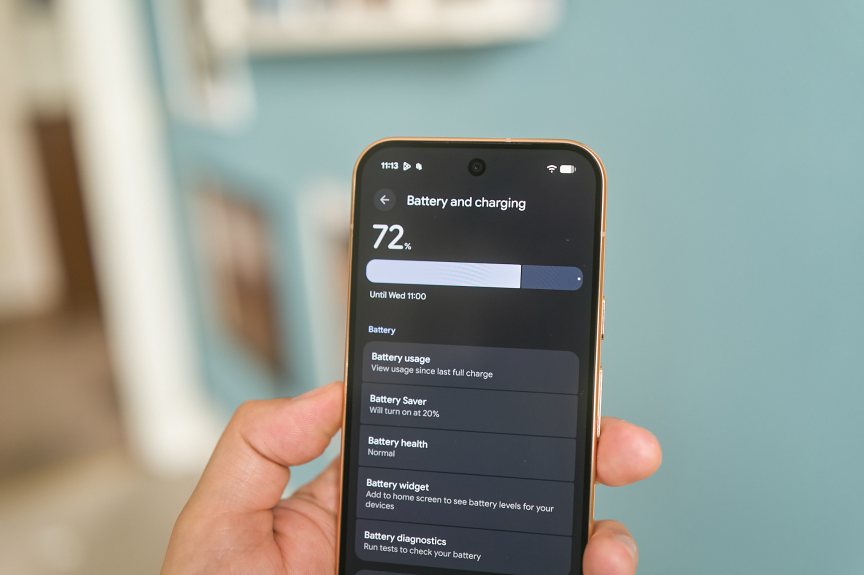
It was down to 86% after the second hour and had dropped to 78% after hour three. That’s among the worst we’ve seen this year, on par with last year’s Pixel 10 Pro, the Pixel 10A and the, er, Trump phone. After 45 minutes of mixed use, the battery dropped by 11%, which is again one of the worst results we’ve seen on a 2026 phone.
It’s a disappointing effort, but I will caveat this by saying that these are demanding tests that don’t necessarily reflect how you’d use your phone throughout a typical day. With more moderate use, the phone will perform much better and based on my own testing so far, I don’t think you’d struggle to get through most of a full day of use before needing to recharge.
The Pixel 11 Pro supports 30-watt charging, and my 30-minute test took it from 55% to 88%. The Pixel 11 Pro XL has an even faster 45-watt charging rate.
Pixel 11 Pro: Should you buy it?
Google hasn’t overhauled its Pixel phone formula this time around. The 11 Pro models are best seen as iterative upgrades over the previous generation, but given how good the Pixel 10 Pro was — and the fact that price has effectively remained the same — that isn’t such a bad thing.
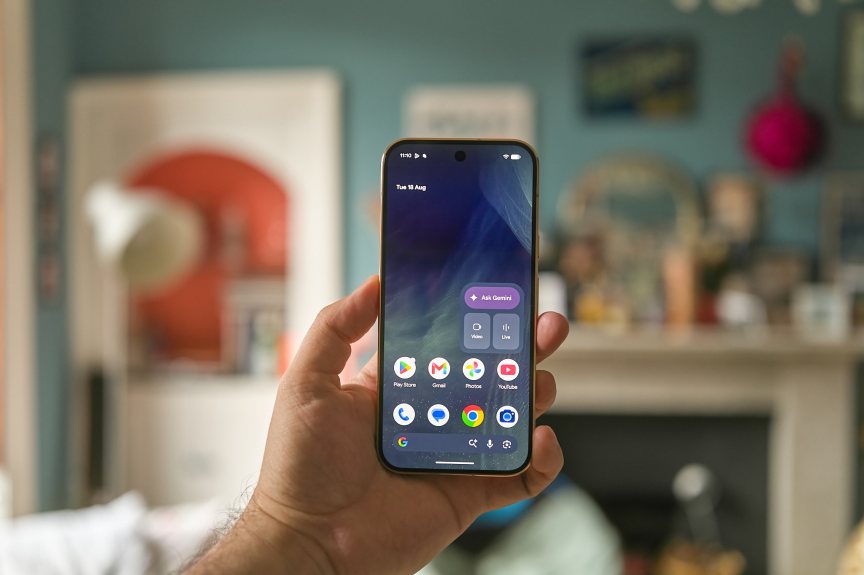
There are enough tweaks in the design to keep it feeling fresh, especially with that soft pink color. The new Camera Looks tools for photos, the HiLight notifications alert and the new AI tools feel like they could be genuinely useful additions. Throw in the faster charging speeds and the new Pixel 11 Pro range seems to have a lot to offer.
My camera test in Paris showed me that it’s well-equipped for at least casual photographers, and while the battery life definitely isn’t winning any prizes, it’s got enough juice to keep going for most of your working day.
Those of you with the Pixel 10 Pro or even the Pixel 9 Pro before certainly shouldn’t consider upgrading. There simply aren’t enough new features for you to really appreciate. But anyone with a much older Pixel — or any Android phone more than four or so years old — will get a lot from Google’s most advanced flat phone. Especially if you value an easy-to-use, streamlined experience for everyday use over one that tries to offer a million different options.
| Google Pixel 11 | Google Pixel 11 Pro | Google Pixel 11 Pro XL | |
| Display size, tech, resolution, refresh rate | 6.3-inch OLED, 2,424×1,080 pixels, 120Hz refresh rate | 6.3-inch OLED, 2,856×1,280 pixels, 120Hz refresh rate | 6.8-inch OLED, 2,992×1,344 pixels, 120Hz refresh rate |
| Pixel density | 422 ppi | 496 ppi | 486 ppi |
| Dimensions (inches) | 6.0×2.8×0.3in | 6.0×2.8×0.3in | 6.4×3.0×0.3in |
| Dimensions (millimeters) | 152.4×71.1×7.6mm | 152.4×71.1×7.6mm | 162.6×76.2×7.6mm |
| Weight (grams, ounces) | 195 g (6.9 oz) | 204 g (7.2 oz) | 227 g (8.0 oz) |
| Mobile software | Android 17 | Android 17 | Android 17 |
| Camera | 48-megapixel (wide), 13-megapixel (ultrawide), 10.8-megapixel (telephoto) | 50-megapixel (wide), 48-megapixel (ultrawide), 48-megapixel (telephoto) | 50-megapixel (wide), 48-megapixel (ultrawide), 48-megapixel (telephoto) |
| Front-facing camera | 10.5-megapixel | 42-megapixel | 42-megapixel |
| Video capture | 4K at 60fps | 8K at 30fps | 8K at 30fps |
| Processor | Tensor G6 | Tensor G6 | Tensor G6 |
| RAM + storage | 12GB RAM + 256GB, 512GB | 12GB RAM + 256GB, 16GB + 512GB, 1TB | 12GB RAM + 256GB, 16GB + 512GB, 1TB |
| Expandable storage | No | None | None |
| Battery | 4,985 mAh | 4,850 mAh | 5,115 mAh |
| Fingerprint sensor | Under display | Under display | Under display |
| Connector | USB-C | USB-C | USB-C |
| Headphone jack | None | None | None |
| Special features | 30-watt wired charging, 25 watt Qi 2.2 wireless charging, Gemini, Magic Capture, Creator Suite Rambler, Live Translate with American Sign Language, IP68 dust and water resistance, seven years of software and security updates | HiLight LED, 30W wired charging, 25W Qi 2.2 wireless charging, Gemini, Magic Capture, Creator Suite Rambler, Live Translate with American Sign Language, IP68 dust and water resistance, 7 years of software and security updates | HiLight LED, 45W wired charging, 25W Qi 2.2 wireless charging, Gemini, Magic Capture, Creator Suite Rambler, Live Translate with American Sign Language, IP68 dust and water resistance, 7 years of software and security updates |
| US price starts at | $899 (256GB) | $1,099 (256GB) | $1,299 (256GB) |
| UK price starts at | £879 (256GB) | £1,079 (256GB) | £1,279 (256GB) |
| Australia price starts at | AU$1,499 (256GB) | AU$1,849 (256GB) | AU$2,099 (256GB) |

See full bio
Read the full article here