


Pros
- Fast
- Excellent screen
- Same solid design as previous model
Cons
- Can get loud and hot
- Heavy
- Big drop in performance in low-power mode
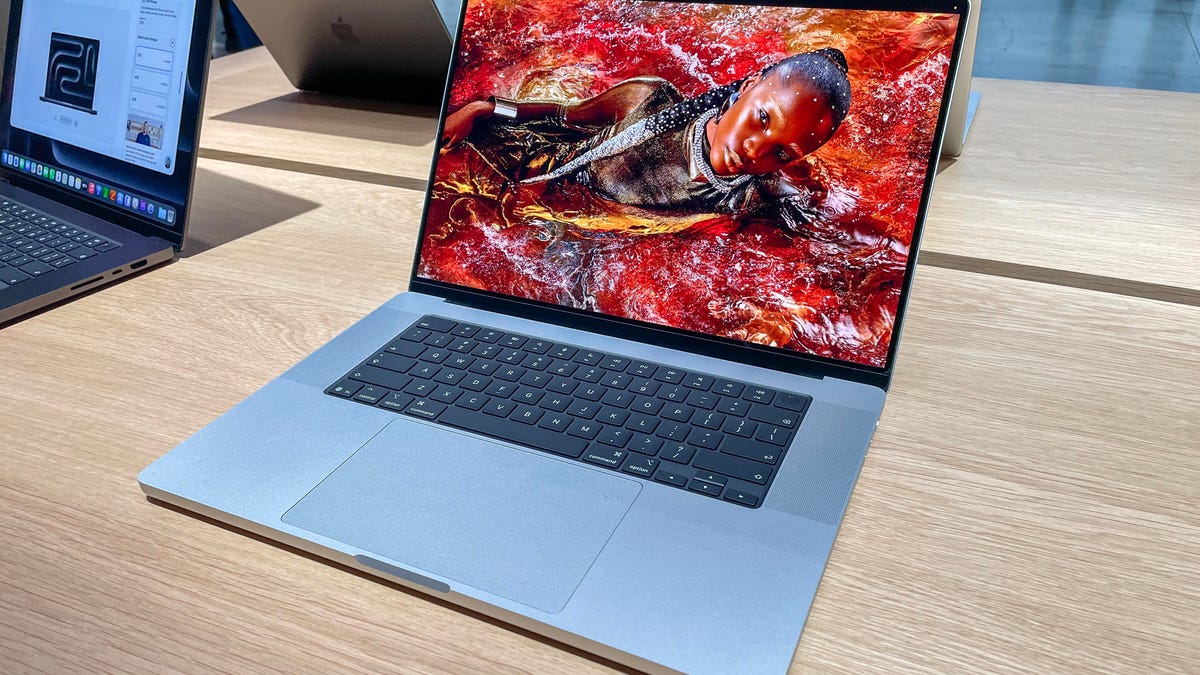
The past few generations of MacBook Pro have been physically identical, regardless of configuration. The new 16-inch line for 2026 has the same design, so looks won’t be a factor when you’re deciding between the M5 Max, M5 Pro or even an older model. It’ll all come down to your performance needs. Yes, like most laptops, they get faster every year, but the big jump in GPU performance is what’s made the M5 line stand out, as we first saw with the 2025 14-inch MacBook Pro equipped with the M5.
The MacBook Pro’s display remains excellent, and I really do still think the nano-texture coating is worth the money if you work in bright or glareful conditions. I don’t love that you can’t set the display refresh rate to 120Hz. The only way to get there is automatically in ProMotion mode — Apple’s adaptive refresh rate technology — but I like to use a higher-than-60Hz refresh rate all the time. The laptops don’t yet have panels with the Adobe RGB expanded gamut support found in the Studio Display XDR, and it’s not clear if they ever will. But they’re built like tanks and have the weight to prove it, and for professional creative work, they really are hard to beat.
I’ve only had a few days to test the two models, so I’ll be back with battery testing — they’re rated at up to 24 hours, a couple hours longer than the last generation of 16-inch models, which makes it pretty time consuming. I’ll also conduct more application-based testing and some stress testing, but given how little has changed otherwise, I’m confident enough to state that these are still some of the best laptops around. Apple’s battery ratings are generally spot on for the type of testing, in our case, continuously streaming video.
The upgrade across the M5 generation to the N1 networking chip also helps. Wi-Fi 7 increases stability when connecting to the 6GHz channel, and all the M5 MacBook Pros have been faster to connect and better at sustaining it with my Wi-Fi 6E router.
Specifications
| Apple MacBook 16 (M5 Max) | Apple MacBook 16 (M5 Pro) | |
|---|---|---|
| Price as reviewed | $6,149; £6,248 | $3,649; £3,748 |
| Display | 16-inch with nano-texture, 3,456×2,234 pixels, 254ppi, 14:9/16:10 aspect ratio; 1,000 nits SDR, 1,600 nits HDR; 120Hz | 16-inch with nano-texture, 3,456×2,234 pixels, 254ppi, 14:9/16:10 aspect ratio; 1,000 nits SDR, 1,600 nits HDR; 120Hz |
| CPU | 4.3GHz Apple M5 Max 18 cores (6S/12P) | 4.3GHz Apple M5 Pro 18 cores (6S/12P) |
| Memory | 128GB LPDDR5 | 48GB LPDDR5 |
| Graphics | Apple M5 Max integrated 40 cores | Apple M5 Pro integrated 20 cores |
| Storage | 4TB Apple SSD AP4096Z, SD card slot | 2TB Apple SSD AP2048Z, SD card slot |
| Ports | 3x USB-C/Thunderbolt 5, 1x HDMI 2.1, 3.5mm audio | 3x USB-C/Thunderbolt 5, 1x HDMI 2.1, 3.5mm audio |
| Networking | Apple N1 chip Wi-Fi 7 (802.11be), Bluetooth 6.0 | Apple N1 chip Wi-Fi 7 (802.11be), Bluetooth 6.0 |
| Operating system | MacOS Tahoe 26.3.1 | MacOS Tahoe 26.3.1 |
| Weight | 4.7 pounds (2.2kg) | 4.7 pounds (2.1kg) |
The MacBook Pro’s prices have increased over previous years, which reflects the current spike in component prices. Since you can’t increase the amount of memory post-purchase, you may either have to pay a lot now (the bump from 64GB to 128GB is $800, for example) or resign yourself to perhaps cutting back. You can get excellent performance with even the 48GB I had in the M5 Pro model, and I do recommend my M5 Pro test configuration over the maxed-out M5 Max unless you have more extreme performance needs. The base $2,699 M5 Pro configuration with 1TB storage and 24GB RAM is probably solid, though.
Peak creative power
Thanks to Apple’s updated chip design, which allows it to more easily increase the number of graphics cores, your choice between the two processors comes down to only how powerful a GPU you need: The GPU now (as of the M5) handles not just graphics processing but complex generative AI calculations. Your choices are 20, 32 or 40 GPU cores, and doubling the cores (from 20 to 40) yields roughly up to 1.7x a performance boost. I found that a 1.2x to 1.8x improvement was more typical in my testing, with 1.5x to 1.8x improvement on generative imaging, gaming and 3D rendering.
Apple’s chip performance has always been remarkably consistent, and with the M5 Pro and M5 Max in the 16-inch MacBook Pro it becomes a little more predictable. All the M5-line chips have the same 16-core Neural Engine. This means the entire MacBook Pro line, including the M5 MacBook Pro 14 and probably the M5 MacBook Air as well, seem to perform nearly identically, regardless of the amount of memory. For general computing, including the types of AI used for everyday work or school — writing support, basic image editing, videoconferencing processing — it doesn’t matter which M5 model you get.
Design isn’t a factor when choosing between these laptops.
The M5 Pro and M5 Max processors for the 16-inch both have 18 CPU cores, with the same balance of “super” (formerly “performance” cores) as the new performance cores — only the 14-inch can be configured with the 15-core M5 Pro. You can expect the same processing performance from both chips, unless whatever you’re doing is memory bound.
In other words, unless you’re running something graphics intensive, you’ll probably get the same performance for a lot of everyday tasks. Since the memory is shared between CPU and GPU, if you’re not loading high-resolution video, photo or game textures, or using AI to generate complex imagery, video or code, the Pro vs. Max doesn’t matter much either. You’ll need more memory if you run a lot of anything: Even Google apps can bog you down if you have a lot of Chrome tabs and big workbooks.
Rumors of OLED and touchscreen MacBooks are flying, but this screen is great all by itself.
Both do show a big drop in performance in low-power mode. But as long as you don’t need to use them maxed out for a long period of time on your lap, since they can get pretty hot, and don’t mind the heavy fan use under the same conditions, you really shouldn’t need to drop into that mode.
All told, this year’s MacBook Pro 16s provide a great upgrade from almost any generation, but this may also be the last generation before the rumored update to OLED or touchscreen displays. I think the current screens have many of the benefits of OLED already — primarily P3 gamut and sufficiently pure blacks — along with likely even better brightness, but OLED would probably lighten the load. This screen still ranks at the top of the class, though, so it’s up to you and your needs whether you want to wait.
M5 MacBook Pro vs. M4 vs. M3: Benchmark test results
Cinebench 2026 CPU (multicore)
Apple MacBook Pro 16 (M4 Pro 14C/20C) low-power 3,228Apple MacBook Pro 16 (M5 Pro 18C/20C) low-power 3,732Apple MacBook Pro 16 (M5 Max 18C/40C) low-power 4,015Apple MacBook Pro 16 (M4 Pro 14C/20C) 6,631Apple MacBook Pro 16 (M5 Pro 18C/20C) 8,770Apple MacBook Pro 16 (M5 Max 18C/40C) 8,849
Cinebench 2024 CPU (single core)
Apple MacBook Pro 14 (M5, 10C/10C), low-power mode 97Apple MacBook Pro 16 (M5 Max 18C/40C) low-power mode 132Apple MacBook Pro 16 (M5 Pro 18C/20C) low-power mode 133Apple MacBook Pro 16 (M2 Pro, 12C/19C) 140Apple MacBook Pro 16 (M3 Max, 16C/40C) 140Apple MacBook Pro 14 (M4, 10C/10C) 174Apple MacBook Pro 16 (M4 Pro, 14C/20C) 178Apple MacBook 16 (M5 Max 18C/40) 197Apple MacBook Pro 16 (M5 Pro 18C/20C) 198Apple MacBook Pro 14 (M5, 10C/10C) 199
Cinebench 2024 GPU
Apple MacBook Pro 14 (M4, 10C/10C) 3,970Apple MacBook Pro 14 (M5, 10C/10C), low-power mode 5,265Apple MacBook Pro 14 (M5, 10C/10C) 5,768Apple MacBook Pro 16 (M5 Pro 18C/20C) low-power mode 8,193Apple MacBook Pro 16 (M4 Pro, 14C/20C) 9,037Apple MacBook Pro 16 (M5 Max 18C/40C) low-power mode 11,134Apple MacBook Pro 16 (M5 Pro 18C/20C) 12,669Apple MacBook Pro 16 (M3 Max, 16C/40C) 12,795Apple Mac Studio (M4 Max, 16C/40C) 17,062Apple MacBook 16 (M5 Max 18C/40) 22,283
Geekbench AI (Neural engine quantized score)
Apple MacBook Pro 14 (M3, late 2023) 36,992Apple MacBook Pro 14 (M4, 10C/10C) 51,002Apple MacBook Pro 16 (M4 Pro, 14C/20C) 51,356Apple MacBook 16 (M5 Max 18C/40) 57,015Apple MacBook Pro 14 (M5, 10C/10C) 57,528Apple MacBook Pro 16 (M5 Pro 18C/20C) 57,599
Procyon Stable Diffusion XL
Apple MacBook Pro 14 (M4, 10C/10C) 132Apple MacBook Pro 14 (M5, 10C/10C) 209Apple MacBook Pro 16 (M5 Pro 18C/20C) low-power mode 323Apple MacBook Pro 16 (M5 Max 18C/40C) low-power mode 456Apple MacBook Pro 16 (M5 Pro 18C/20C) 696Apple MacBook 16 (M5 Max 18C/40) 1,083
3DMark Solar Bay Extreme
Apple MacBook Pro 14 (M4, 10C/10C) 3,049Apple MacBook Pro 14 (M5, 10C/10C) 4,438Apple MacBook Pro 16 (M5 Pro 18C/20C) 9,080Apple MacBook 16 (M5 Max 18C/40) 16,175
Configurations of test systems
| Apple Mac Studio M4 Max (2025) | Apple MacOS Sequoia 15.3; Apple M4 Max (16-core CPU, 20-core GPU); 128GB LPDDR5; 1TB SSD |
|---|---|
| Apple MacBook Pro 14 (late 2023) | Apple MacOS Sonoma 14.1; Apple M3 (8-core CPU, 10-core GPU); 16GB RAM; 1TB SSD |
| Apple MacBook Pro 14 (late 2024) | Apple MacOS Sequoia 15.1; Apple M4 (10-core CPU, 10-core GPU); 16GB LPDDR5; 1TB SSD |
| Apple MacBook Pro 14 (late 2025) | Apple MacOS Tahoe 26.0.1; Apple M5 (10-core CPU, 10-core GPU); 16GB LPDDR5; 1TB SSD |
| Apple MacBook Pro 16 (early 2023) | Apple MacOS Ventura 13.2 or Sonoma 14.1; Apple M2 Pro (12 CPU cores, 19 GPU cores); 32GB LPDDR5; 1TB SSD |
| Apple MacBook Pro 16 (late 2023) | Apple MacOS Sonoma 14.1 or Sequoia 15.1; Apple M3 Max (16-core CPU, 20-core GPU); 48GB RAM; 1TB SSD |
| Apple MacBook Pro 16 (late 2024) | Apple MacOS Sequoia 15.1; Apple M4 Pro (14 CPU cores, 20 GPU cores); 48GB LPDDR5 RAM; 2TB SSD |
| Apple MacBook Pro 16 (early 2026) | Apple MacOS Tahoe 26.3.1; Apple M5 Pro (18-core CPU, 20-core GPU); 48GB LPDDR5; 2TB SSD |
| Apple MacBook Pro 16 (early 2026) | Apple MacOS Tahoe 26.3.1; Apple M5 Max (18-core CPU, 40-core GPU); 128GB LPDDR5; 4TB SSD |
Read the full article here