


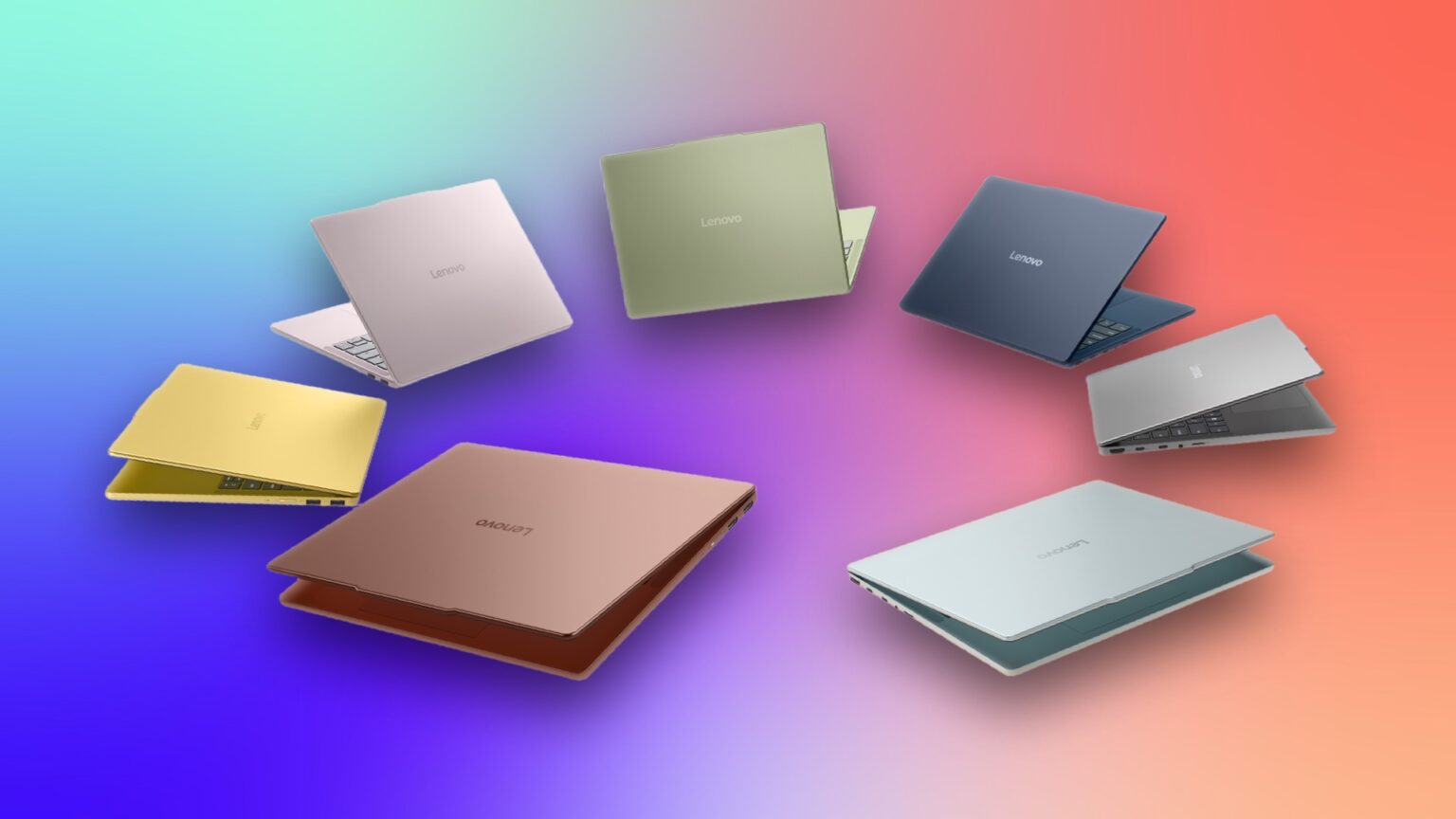
Taking a shotgun approach to IFA, Lenovo announced a slew of systems on Thursday aimed at every market segment. There are new Yoga laptops and convertibles based on Nvidia’s RTX Spark CPU to take on Apple’s MacBook Pro for creatives. For the less creative but still productive, it added to its stable of corporate ThinkBook laptops and ThinkCentre desktops. It also had a couple of proofs-of-concept because Lenovo can’t show up to a conference without at least one prototype with a rollable, expandable display.
For students and other budget buyers, Lenovo introduced a new affordable and colorful IdeaPad Vibe laptop series that’s meant to compete with Apple’s budget MacBook Neo. For the more stationary, Lenovo offers the equally colorful IdeaCentre all-in-one PC to woo would-be Apple iMac buyers. And for creatives who want to sketch and draw on a tablet other than an iPad, Lenovo has second-gen updates to its two Yoga Tabs, complete with an improved pen.
Vibe check
The smash hit that is the MacBook Neo has caused a ripple effect across the industry, with PC makers racing to release budget Windows laptops with the same appealing mix as the Neo: premium look and feel, high-resolution display, long battery life and, sure, a few fun colors. Dell has released not one but two laptops to compete with the Neo, and now Lenovo has followed suit with the IdeaPad Vibe.
On the surface, the Vibe checks most of the Neo’s boxes. Not surprisingly, it starts at the same price as the Neo, at $700. When I asked Lenovo it if would get the same $100 student discount Apple offers for the Neo, the company told me it isn’t offering a student discount for it. Instead, the ever-revolving sales pricing it offers on all of its laptops should eventually land on the Vibe. So, we’ll need to stay tuned to see if the Vibe can hit $600 or even less.
Unfortunately, that $700 Vibe starts off with a meager 8GB of memory and undersized 256GB SSD. That’s no different than what you get with the baseline Neo, but 8GB of RAM goes a lot farther when you’re running MacOS than Windows 11. Lenovo offers 16GB, 24GB and 32GB memory upgrades for the Vibe, but be prepared for prices to quickly escalate; RAMageddon is real. The same goes for the storage, whether you choose the 512GB or 1TB upgrade. I worry that any good vibes will disappear as the cost surpasses or even starts to approach $1,000.
Perhaps a splash of color can help forestall any hard feelings. Lenovo offers the Vibe in seven creatively labeled colors: chill blue, moody blue, zen green, spicy gold, radiant coral, dreamy violet and lowkey grey. The keyboard is color matched to the rest of the laptop, and you can purchase a second keyboard and swap out individual keycaps if you want to mix and match, adding, say, some spicy gold keys to a radiant coral body or vice versa or some other color combination that’s so appealing to you that you’ll spring for a second keyboard.
The Vibe offers more colors than the Neo and is also far more configurable. Lenovo offers the Vibe in two sizes, and each is available with a choice of processor. You have a choice of a 14-inch or 15-inch display, each with IPS and OLED options. And you can choose between an AMD Ryzen AI 400 series or a Qualcomm Snapdragon X chip.
The 14-inch baseline display is a standard 1,920×1,200-pixel, 60Hz non-touch IPS panel. The 14-inch OLED upgrade won’t come with a bump in resolution but should offer smoother scrolling and movement on the screen with its 120Hz refresh rate. The 15-inch model also starts off with a standard non-touch IPS display, and the OLED option will offer a 2.2K resolution.
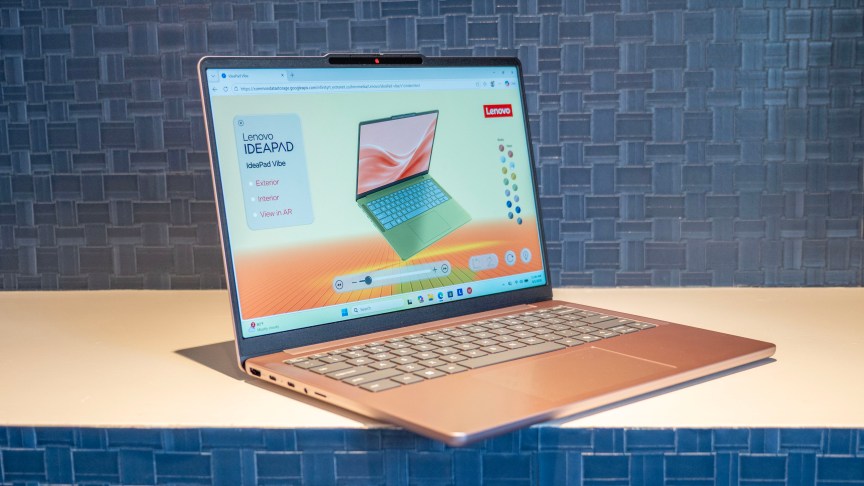
Strangely, only the Snapdragon X-based model comes with an all-metal build. If you choose AMD, you’ll need to accept a plastic bottom panel, which is a Vibe demerit when it’s up against the all-metal MacBook Neo and Dell XPS 13. Both Vibe versions are upgradeable, the AMD model more so. It has a pair of RAM slots so you can add more memory; the Qualcomm model’s memory is soldered on. And each has two M.2 slots so you can expand the storage.
The Vibe’s healthy port selection should put you in a good mood. It offers two USB-C and two USB-A ports along with an HDMI port, headphone jack and microSD card reader. Sadly, the USB-C ports are of the slow 5Gbps variety and far from Thunderbolt 4.
Availability also varies by model. The AMD-based Vibe will be first out the door in October with the Qualcomm model following in November.
IdeaCentre AIO offers iMac colors but not its high-res screen
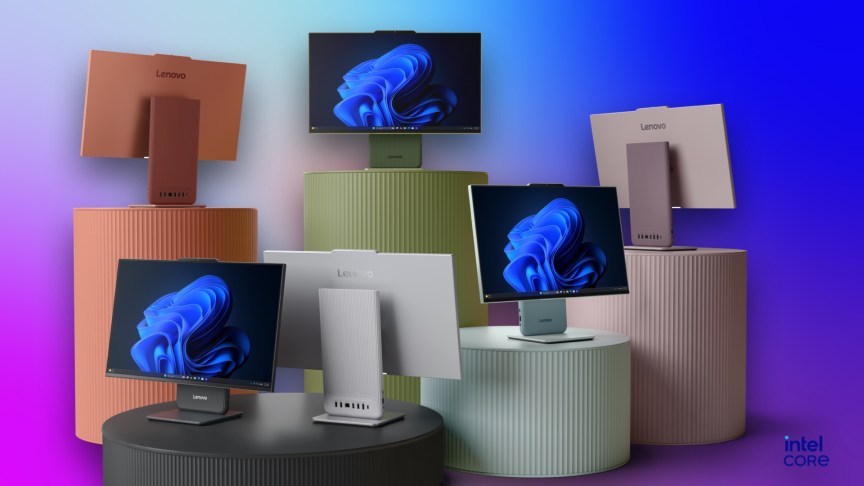
If the Vibe is meant to lead you away from the MacBook Neo, then the new IdeaCentre all-in-one’s purpose is to separate you from the iMac. Like the iMac, the IdeaCentre AIO offers a rainbow of color choices – the same as the Vibe’s selection except with no moody blue or spicy gold and the addition of a second gray option. It’s powered by an Intel Core 7 350 Wildcat Lake CPU and either 8GB or 16GB of RAM. For storage, it’s either a 512GB or 1TB SSD.
Unlike the iMac, the IdeaCentre AIO is available in two sizes, 24 and 27 inches. For many all-in-one buyers, the 24-inch iMac doesn’t offer enough workspace or a big enough screen for watching movies. So, getting a 27-inch option is nice, but both IPS panels look pretty uninspired with just a 1,920×1,200-pixel resolution and rated for a modest 350 nits. At least they have smooth 120Hz refresh rates? And they offer an upgrade not offered on the iMac: touch support.
I got a chance to check out the 27-inch IdeaCentre AIO, and I could tell immediately it was a standard 1,920×1,200 from the fuzzy Windows icon and text. I think I could skate by with that resolution on the smaller model (even if the iMac offers a far better 4,480×2,520 picture), but the larger 27-inch size needs a higher-res screen.
From the back and sides, however, the system looked sleek. Lenovo managed to house all of the internal components behind the display while still keeping it very thin. This design allows for the stand to be compact to save you space in small rooms or apartments. Even more space saving? The base doubles as a wireless charger for your phone.
The IdeaCenter AIO is scheduled to arrive in November. The 24-inch model will start at $940, and the 27-inch model will start at $1,150.
Keeping tabs on two new Yoga Tabs
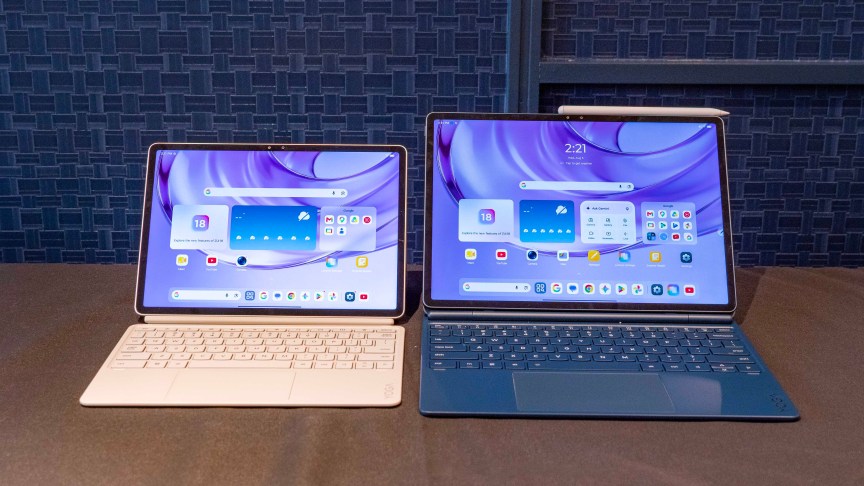
Lenovo announced two tablet updates with second-gen versions of its Yoga Tab Plus and Lenovo Yoga Tab tablets. With a completely new two-in-one design, the larger Yoga Tab Plus Gen 2 is the newsmaker here.
Gone is the kickstand and flimsy connection between the keyboard and display. Now, the display magnetically snaps via pogo pins to a back panel that’s connected to the keyboard via a proper hinge for a much sturdier setup. It looks and feels like a laptop, but you can still pop off the display and use it as a detachable tablet as you could before. (The smaller Yoga Tab Gen 2 rolls along with the same kickstand design as before.)
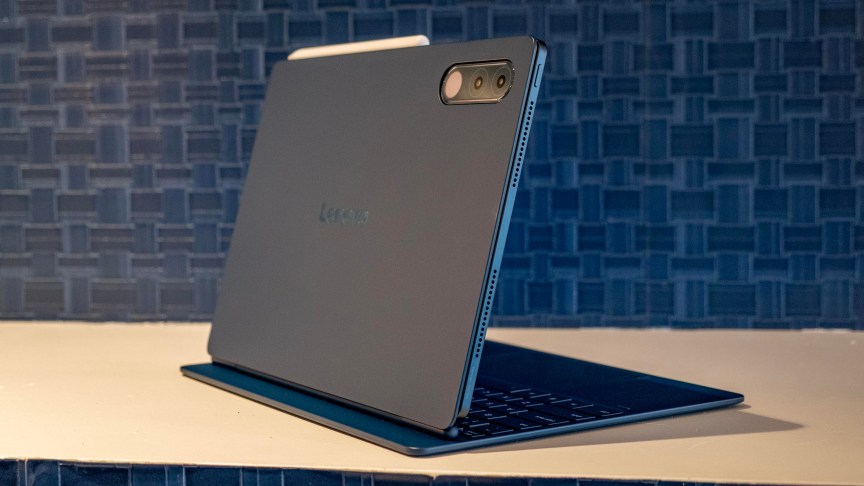
The Yoga Tab Gen 2 has a 13-inch, 4K display powered by a Snapdragon 8 processor. The Yoga Tab Gen 2 has an 11.1-inch display – also with a 4K resolution – and runs on a MediaTek Dimensity 9500s CPU.
Both come with the Tab Pen Pro 2, which has some new gestures and AI features. Before we get to the AI bits, I must say that my favorite part of the new pen is being able to flip it around and use the other end as an eraser. So easy, so natural! The Tab Pen Pro 2 offers 8,192 levels of pressure sensitivity and is fat and heavy. And that’s a good thing – it doesn’t feel like a stylus. Against the display’s slightly textured finish, writing and sketching felt great.
The new gesture it has is called Squeeze to Select. Pinch the pen for three seconds and you’ll see a short burst shoot across the screen and feel the haptics in the pen letting you know you’ve activated this gesture. Then you can circle something you’ve drawn or an image on a website and ask AI to create an illustration from a variety of styles. This functionality isn’t new, but accessing it from the pen is novel and brings more tools to the surface in tablet mode, saving you from needing to connect to the keyboard.
Both tablets will launch with Android 17 and include seven OS upgrades through Android 24 along with seven years of security updates through 2033.
Both will be available later in September, with the Yoga Tab Gen 2 starting at $730 and the Yoga Tab Plus Gen 2 starting at $1,000.
Editors’ note: Matt Elliott’s travel costs for the IFA conference were covered by Lenovo. The judgments and opinions of CNET are our own.

See full bio
Read the full article here