


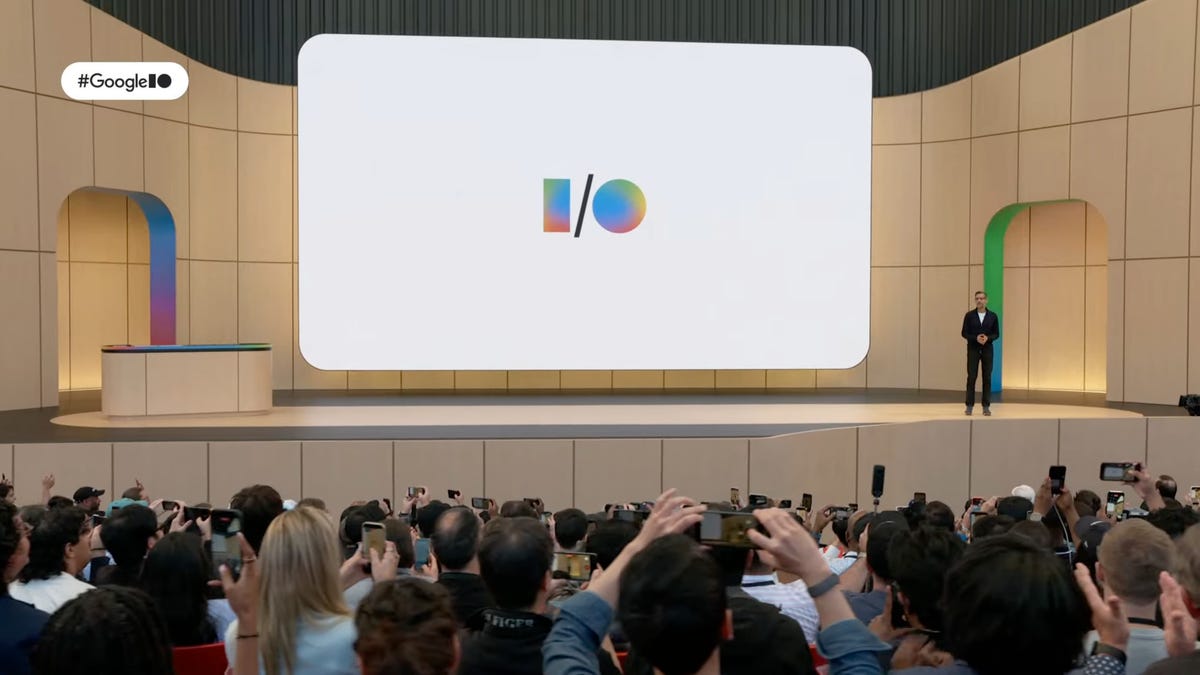
Google’s annual developer conference has grown so large that it has been split into two in recent years. The tech behemoth held an event last week dedicated to its Android mobile operating system, Googlebooks and more. Today’s event was devoted to the rest of its platforms.
The common theme uniting both is the company’s AI tools, primarily those based around its Gemini chatbot and related technologies. Basically, like all of 2026, the watchword is “agent.”
While events like this tend to feel like a bombardment of “you can do this!” and “yadda yadda new model yadda yadda” demonstrations, several new capabilities and technologies did rise above the noise, at least for me. What stood out were Google Docs Live, aspects of Ask YouTube, enhancements to Google Flow and Flow Music and some of the Intelligent Eyewear.
Watch this: The Future of Smart Glasses Is Coming This Fall
There was much that appeals to the true audience for the conference — developers — such as tools for quickly generating user interface screens, updates to more efficient models they can use and other capabilities they need. But I’m more interested in what they bring to us.
Check out our complete coverage of Google I/O 2026 and play-by-play commentary on the event in our archived live blog.
At Google I/O 2026, Google announced that AI service subscribers would be getting a voice dictation and organization tool in Google Docs this summer called Docs Live.
Google Docs Live
Docs Live, which transcribes and organizes your voice notes, appeals to me as a potential method for managing all my ramblings while I test products and more (right now, I have to jump back and forth to take notes). Doubtless, there are a lot of other people who prefer to talk rather than type that can take advantage of something like this — if it works well enough, that is. A “verbal brain dump,” as CEO Sundar Pichai called it.
It seems like you’re not required to grant it access to the rest of your Google accounts or web history, which is one of the big barriers to my adopting a lot of Google’s AI tools, though it will, in theory, deliver better results if you do.
Of course, it’s not free. It’s available to Google AI subscribers, specifically those with the AI Pro ($20 per month) or Ultra ($100 or $200 per month) tiers.
Enhanced responses in Google Search
Google search
Continuing its trend of recent years, Google expands its incorporation of AI into its search engine, unifying its AI-driven search tools to increase its agenting capabilities and incorporate more context, such as photos and PDFs uploaded and open Chrome tabs.
Google’s also extending SynthID, its technology for reading encoded metadata in images to report whether an image has been generated or modified using AI, to Chrome. But it also requires partners, so it may not catch things generated by less popular models.
Watch this: The Android Show I/O Edition Highlights: Googlebooks, Android Auto and More
A new intelligent search box supports complex, natural-language queries and follow-up queries to the response, as well as multimodal agents that can take action and build visual results, such as example simulations.
But more interesting (to me) are the custom intelligent widgets you can make with a kind of vibe agenting. If I understand it correctly, it’s a way to save complex, repeated searches and actions.
Ask YouTube lets you get results that drill down to specific spots in a video.
Ask YouTube
YouTube has long been a big search engine, especially for how-to content. Ask YouTube delivers video results for natural-language queries in the requested format, and my favorite aspect is jumping straight to the relevant part of the video you’re looking for.
This capability can be a little controversial because it has the potential to drastically cut into creators’ revenue streams, which are frequently dependent on the amount of time viewers spend and ad viewing.
On the flip side, though, I tend to skip video results when looking up how-to and game walkthrough content because I hate having to scrub through videos looking for the one piece of information I need. I think more people are not like me than are, so it still looks like it might be a net loss for a lot of creators.
It’s now available to Premium subscribers.
Object replacement can be a great boon for fast video edits.
Google Flow and Flow Music
Google’s creation tools
The new Omni model drives many of Google’s latest creative generative AI features. It’s a new multimodal model for generating video from any inputs, such as text, audio, other videos and images. A faster version of the model, Omni Flash, drives tools in products like Flow and Flow Music, Google’s software for video and music generation.
Now Flow incorporates conversational agents to which you can bring the context of current and past projects, help brainstorm and create templates, plus it’s theoretically better at simulating physics. Google also claims Omni Flash allows it to perform more accurate edits, among other things.
And Flow Music expands to support editing parts of a composition, like replacing or editing lyrics without affecting the track’s beat.
These are all capabilities which have the potential to improve your workflow rather than produce slop out of whole cloth, though you can bet there’ll be a lot of the latter as well.
Native mobile apps for Flow and Flow Music are available to all AI-plan subscribers.
Google joins the club of partnerships for stylish smart glasses.
Intelligent Eyewear
Google’s umbrella term for its smart glasses products is “intelligent eyewear,” which will span from XR glasses to audio-only models.
I’m not big on audio-only smart solutions, like the headsets announced at CES, because they require remembering what you just said or did. I need the visuals.
But for people who can remember more than 30 seconds into the past, I can see how they might be tempting. Walking around with a heads-up display can pose problems for some people, and I suspect it can lead to a lot of distraction accidents while walking, the same way phones do.
I’m more intrigued by Project Aura, which has been in development for a while and is finally becoming a Thing You Can Buy later this year. Why? Because it looks like a lightweight VR competitor — a pair of Xreal glasses plus a puck running Android XR on a Qualcomm Snapdragon processor — that will work connected to other devices like a phone, laptop or Steam Deck.
Google’s got partnerships with eyewear providers like Warby Parker and Gentle Monster for some offerings, and they’re coming this fall.
Perhaps most notable, some of the eyewear will support iOS, making them compatible with iPhones (and maybe iPads?). Apple’s upcoming integrations with Gemini to make up for all of Siri’s shortfalls also herald the support for Gemini Spark and Gemini Voice in MacOS coming in the summer — which means we’ll likely hear more about the two new products at WWDC in June.
On the other hand
In the end, a collection of five things isn’t a lot to find interesting from a three-hour event. There was a lot more that looked problematic at best and dystopian at worst than there was that I found notable in a “I want this” way. And at times it felt like the live stream had a clap track, because the applause didn’t seem to match the actual lack of clapping.
Many of the agenting capabilities seem to be features in search of an audience, and, like competitors, Google really sounded tone-deaf about the negative impacts these smartness-that-no-one-asked-for features impose.
Plus, for example, things like the happy, retailer-friendly agentic shopping platform for Chrome raises all the usual issues about, say, if there’s a breakdown in the chain of agents, who’s responsible for the refund? Friction in shopping transactions isn’t necessarily bad for consumers. It’s just anathema to sellers, though, who generally don’t want to give you time to think.
To be fair, the audience for Google I/O is developers and investors, who are generally more interested in how all these changes can generate revenue.
Read the full article here