


Since OpenAI’s ChatGPT launched in November 2022, tech companies have poured billions of dollars into generative AI. Microsoft joined forces with OpenAI for a multiyear, multibillion-dollar investment. One of the results of this partnership was the creation of Microsoft’s own AI tool, Copilot.
If you’ve spotted Copilot in Windows, then opened Word and found it there too, you might wonder whether they’re the same thing. Microsoft certainly gets its mileage out of the name.
Copilot launched in 2023 as a successor to Bing Chat – which, in a way, evolved from Cortana, though it used a different underlying technology. But you get my point. Microsoft’s virtual assistants have had a long evolution.
Microsoft did have a couple of false starts with AI, though, like its Recall feature, which was quickly dropped from the Copilot Plus PC launch before eventually reaching those computers in April 2025.
So, what exactly is Microsoft Copilot? It’s an AI assistant, a chatbot, an app and increasingly an agent that can carry out tasks for you. The umbrella term Copilot can be a bit confusing, so let’s explore what it means in its applications and how you can use it.
The branding breakdown
Copilot is Microsoft’s branding for various AI-powered tools embedded across its ecosystem, including in Windows, Edge, Bing, Microsoft 365 (all the Office apps), Teams, GitHub and security tools. You can also download the Copilot app on your iOS, Android and Mac devices, or use it in a web browser.
Microsoft has begun bringing its personal and work experiences together. Its updated Copilot app became available in August 2026. The app previously called Microsoft 365 Copilot is now called Microsoft Copilot, with features that depend on your account and subscription.
The branding has also expanded to PCs as Microsoft rolled out an AI laptop, Copilot Plus PC. Many newer Windows laptops come with a dedicated Copilot key that lets you jump straight into your AI assistant with one press on a keyboard. But you don’t need a Copilot Plus PC to use the chatbot.
How Microsoft Copilot works
Copilot uses large language models to write text, search the web, summarize emails, generate code, automate tasks and assist you across the apps you probably already use. It also generates and edits images.
Microsoft says its system uses models from Microsoft, OpenAI and other developers, rather than just one model powering every feature.
When Copilot searches the web, it can include links to the sources behind an answer. Those links help you check its work, because all AI tools hallucinate, and even the most confidently delivered answer can still be wrong.
You can chat with Copilot for free, but you’ll need to sign in if you want it to save your chat history or keep a longer conversation going. Some versions also let you choose which AI model to use, though the options vary by plan.
On Windows, Copilot runs as a standalone app. You can control its file-search permissions and summon it with the optional “Hey Copilot” wake word or, if your keyboard has it, with a Copilot key.
Edge also includes Copilot, offering contextual assistance like summarizing articles or comparing products while you browse.
Copilot vs. other AI chatbots
Because it’s an AI chatbot, you can compare Copilot to ChatGPT, Grok, Perplexity, DeepSeek and Anthropic’s Claude. These all offer chat interfaces where you enter prompts and get responses, though their capabilities now extend beyond basic conversation.
As an AI assistant, it resembles how Google’s Gemini works across its software products, but Copilot is more tightly embedded into productivity tools. Meta AI is also integrated across its social platforms, but it’s more suited for casual and creative use.
If you spend much of your day in Word and Outlook, being able to ask for help inside those apps could save you some copying and pasting. For example, instead of asking ChatGPT to write an email and then copying it into Outlook, Copilot lives inside Outlook and generates the draft using your email history and context.
That convenience depends on having the appropriate access. The free assistant and the Copilot features included in a Microsoft 365 subscription aren’t interchangeable. A work account can also come with restrictions set by your employer.
Some products carrying the name Copilot serve different purposes. GitHub Copilot helps with software development, while Copilot Studio lets organizations build and manage AI agents.
What can Microsoft Copilot do?
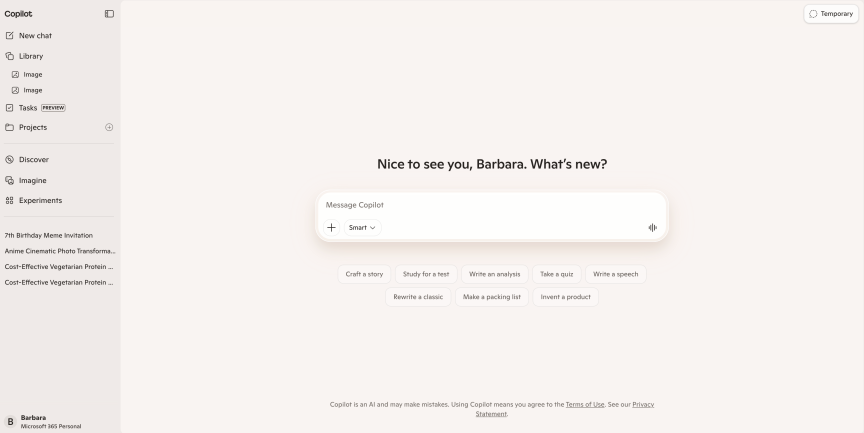 Microsoft Copilot/Screenshot by CNET
When you use Microsoft 365 Copilot, the AI draws from the context of your files and data, like calendars or chats (with your permission), to generate content or provide suggestions.
In Word, it can draft, edit and summarize documents. In Excel, it can build formulas, analyze data and generate charts. It’ll whip up a deck for you in PowerPoint based on a prompt or a Word doc. Outlook Copilot drafts emails and summarizes threads. In Teams, it can generate meeting summaries and pull context from chats you weren’t paying attention to (we’ve all been there).
Copilot Voice lets you have a spoken conversation instead of typing. Copilot Vision lets you share a screen, app or supported camera view and ask questions about what you’re seeing. You could ask it to walk you through an unfamiliar app without having to describe every button.
That said, Vision provides guidance, but it doesn’t click buttons or enter text for you. Microsoft’s current Vision guide lists Microsoft 365 Personal, Family or Premium subscriptions as a requirement and says availability can vary during rollout, including on mobile.
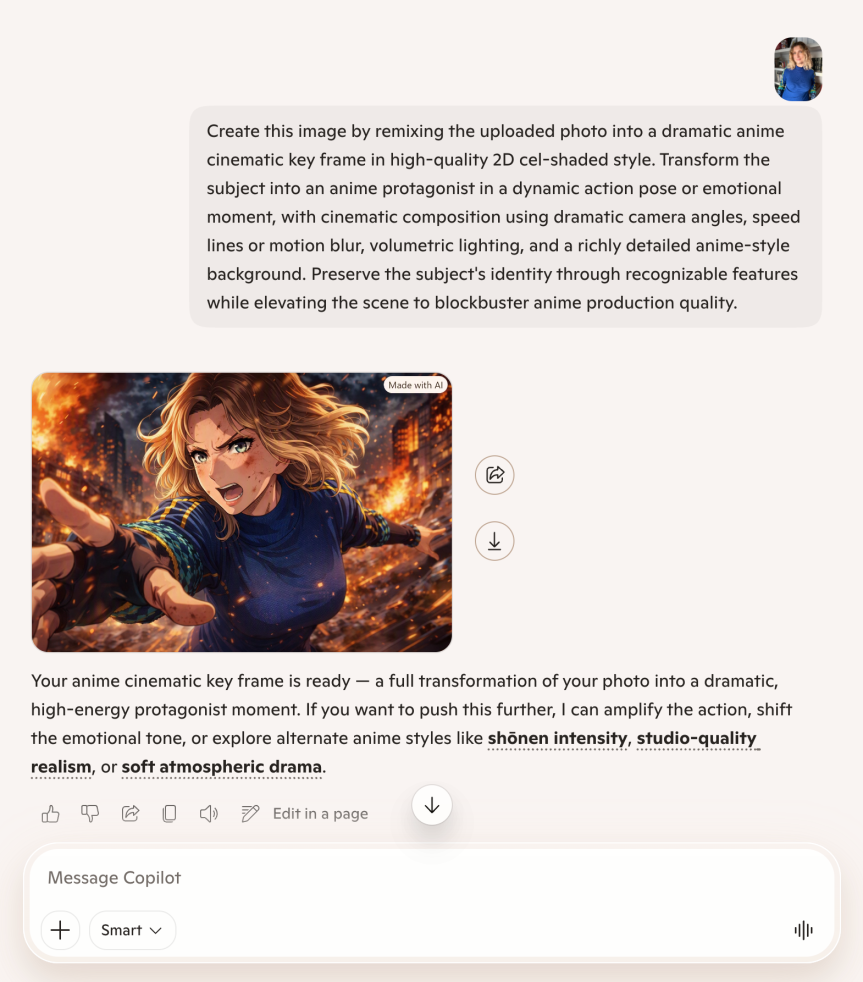
You can use Copilot Imagine to create images from descriptions or upload an image and ask Copilot to change it. A cool feature is that if you choose a preset restyle option, as I did in the image below with Anime Keyframe, Copilot produces the complete prompt for you. You can then tweak the image according to your preference.
 Microsoft Copilot/Screenshot by CNET
For studying, Microsoft describes Copilot Learn as a way to create practice tests and flashcards. It’s a more useful starting point for revision than asking the chatbot to do your homework.
Microsoft has also moved into AI that carries out tasks on your behalf. Introduced in February 2026, Copilot Tasks is a consumer feature that uses its own computer and browser to handle background jobs. It’s still in preview, and you can join a waitlist.
In the updated Copilot app, Cowork is designed for longer, multistep work, such as creating or editing Microsoft 365 documents, managing your email, calendar and files, working with websites and running scheduled or event-driven tasks. Cowork is generally available for work accounts, while the personal version remains in preview and requires an eligible Microsoft 365 subscription. Microsoft says it asks for approval or hands control back before completing sensitive actions, including making purchases and sending messages.
Following OpenAI’s footsteps with ChatGPT Health, Microsoft introduced Copilot Health, a separate space that can draw on your medical records and wearable data. It can help you understand that information or prepare for a doctor’s appointment, but it can’t diagnose conditions or prescribe medication.
How much does Copilot cost?
Copilot has a free version with usage limits. You don’t need a Microsoft 365 subscription to start chatting, but paid plans add AI features inside Microsoft’s apps and larger allowances.
- Microsoft 365 Personal costs $10 a month.
- Microsoft 365 Family costs $13 a month.
- Microsoft 365 Premium costs $20 a month and includes Researcher and Analyst.
- Microsoft 365 Pro costs $100 a month and offers the highest usage limits. Despite the similar name, this is different from the older standalone Copilot Pro subscription.
The included paid AI benefits on Family, Premium and Pro can’t be shared with other household members.
One change could catch returning users off guard: Microsoft retired the consumer Copilot’s Deep Research feature in August 2026. Researcher is a separate experience available with Premium and Pro. Don’t assume an older guide promising free Deep Research still applies.
Business Copilot licenses are priced separately. So are GitHub Copilot and Copilot Studio.
Privacy concerns
AI tools integrated into the software we use daily can quietly blur the line between helpful and intrusive. Installing Copilot doesn’t give it unrestricted access to your computer, but what it can use depends on the permissions you grant and the services you connect. You still have to decide how much personal or work information you’re comfortable sharing for the sake of convenience.
Ashique KhudaBukhsh, professor of software engineering at Rochester Institute of Technology, who specializes in AI and Natural Language Processing and also previously worked as a software developer for Microsoft, says the tech giant’s security standards are pretty high.
But he also admits: “As the AI tools increasingly operate across diverse platforms, there is an elevated risk that the data may bleed from one system into another.”
He says vulnerable groups, like senior citizens, should be educated and trained so they are up to speed on the risks of AI and can protect themselves until there is more regulatory oversight of this.
But KhudaBukhsh also notes there are some common misconceptions about AI and privacy.
“AI systems are [not] intrinsically invasive,” he explains, since “many of these systems are built with privacy by design principles.”
Microsoft changed its training policy with the updated Copilot app. For personal accounts, the company says conversations and file contents aren’t used to train foundation models. The same applies to Copilot in Microsoft 365 apps for home.
Older guides may still tell you how to opt out of training, but those instructions apply to the previous version.
Copilot can save your chat history and remember preferences. You can review or delete saved memories and turn memory off, but doing so won’t erase anything already saved.
Like every AI tool CNET has reviewed so far, it’s not perfect. But if you’re already using Microsoft software, Copilot could make your daily workflow easier. If you mainly want help polishing a paragraph or answering occasional questions, try the free version before adding another subscription to your monthly bills.
As KhudaBukhsh says, “It could be very convenient to use technology, but at the same time, we need to be very mindful of what we are sharing, and if we are understanding the trade-off between convenience and security.”

See full bio
Read the full article here