


If you’re listening to music or a podcast on your iPhone, you can adjust the volume without unlocking your device by using the volume buttons on the side of your device. You can easily increase or decrease your volume a set amount, but these buttons could leave you choosing between a volume that is a bit too loud or slightly too quiet.

The good news is that you can bring the volume bar back to your device’s lock screen, giving you more precise control over your iPhone’s volume without unlocking your device.

Apple removed the volume bar from the lock screen when the company released iOS 16 in 2022. Then in 2024, the company gave you the option to bring the volume bar back to your iPhone’s lock screen with iOS 18.2.
If you like using the volume bar, you can bring it back to your lock screen. Here’s how to do it in a few easy steps.
How to get the volume bar on your iPhone
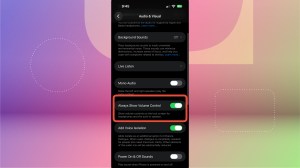
1. Open Settings.
2. Tap Accessibility.
3. Tap Audio & Visual under Hearing.
4. Tap the toggle next to Always Show Volume Control.
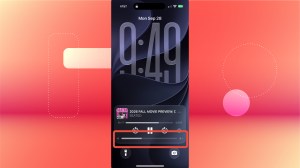
Next time you’re listening to music or a podcast at the gym or on the bus, you can adjust the volume with the slider on your lock screen.
For more iOS news, here’s everything you should know about iOS 27 and why you might not see iOS 27.1 on your device.

See full bio
Read the full article here